🡠 Back


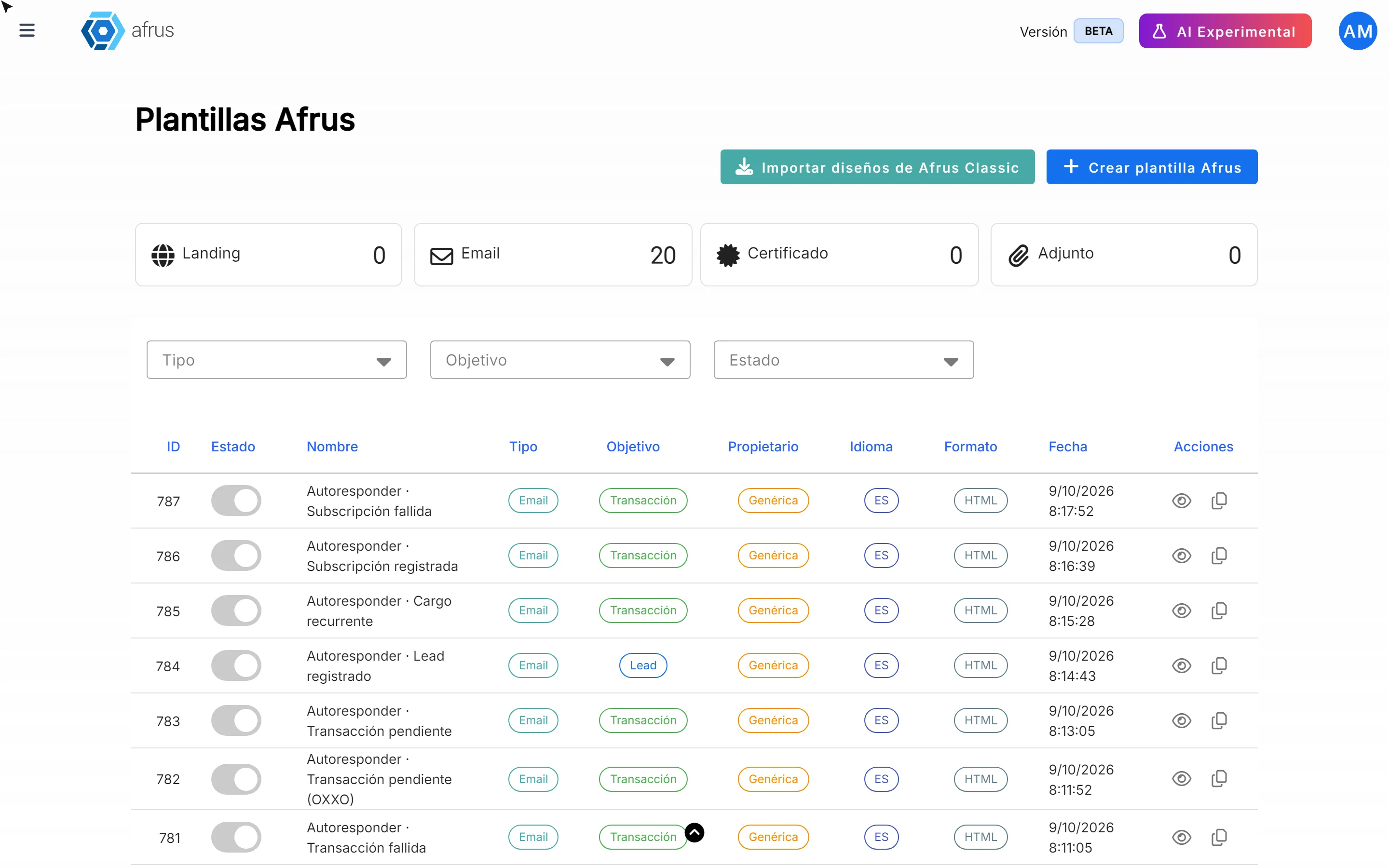
How to create a new AFRUS template
Reading time
1 min
AFRUS Templates
October 27, 2026
afrus.ai
Learn how to create your own email, landing, attachment or certificate template in AFRUS, step by step.
In this article
Step by step
- Open templates. Go to Interacciones > Plantillas AFRUS and click "Crear plantilla AFRUS" (Create AFRUS template).
- Fill in the general information. Nombre de plantilla (Template name, required), Estado (Status), Tipo de plantilla (Type), Objetivo (Goal) and Idioma (Language).
- Design the content. Click "Abrir Editor Visual" (Open visual editor) to design it without code, or paste your HTML.
- Save. Click "Crear" (Create). You will see "Plantilla AFRUS creada exitosamente" (AFRUS template created successfully).
Frequently asked questions
Can I bring designs from the previous version of AFRUS?
Yes, with "Importar diseños de AFRUS Classic" (Import designs from AFRUS Classic).
Need help? Talk to the afrus team
In this article
✕
Related Tutorials
AFRUS Templates
October 27, 2026
What Plantillas AFRUS are for
Learn what Plantillas AFRUS are for: saving time, keeping your look and reusing designs in emails and landings.
afrus.ai
AFRUS Templates
October 27, 2026
Types of Plantillas AFRUS
Get to know the types of Plantillas AFRUS (email, landing, attachment and certificate) and their goals.
afrus.ai
AFRUS Templates
October 27, 2026
How to tell your templates from AFRUS's
Learn how to recognize which templates your team created and which come with AFRUS, and how to edit an AFRUS template.
afrus.ai
AFRUS Templates
October 27, 2026
What Plantillas AFRUS are
Learn what Plantillas AFRUS are: a library of ready-made designs for your emails, landings, attachments and certificates.
afrus.ai