🡠 Back


How to create a product widget to sell tickets
Reading time
2 min
Tickets
October 27, 2026
afrus.ai
Learn how to create a raffle in Tickets and a product widget that sells its numbers with a price per ticket.
In this article
To sell tickets you need the raffle (with its number range) and a widget with the Producto (Product) goal that sells it. Labels are shown as they appear in the Spanish version of the console.
Step by step
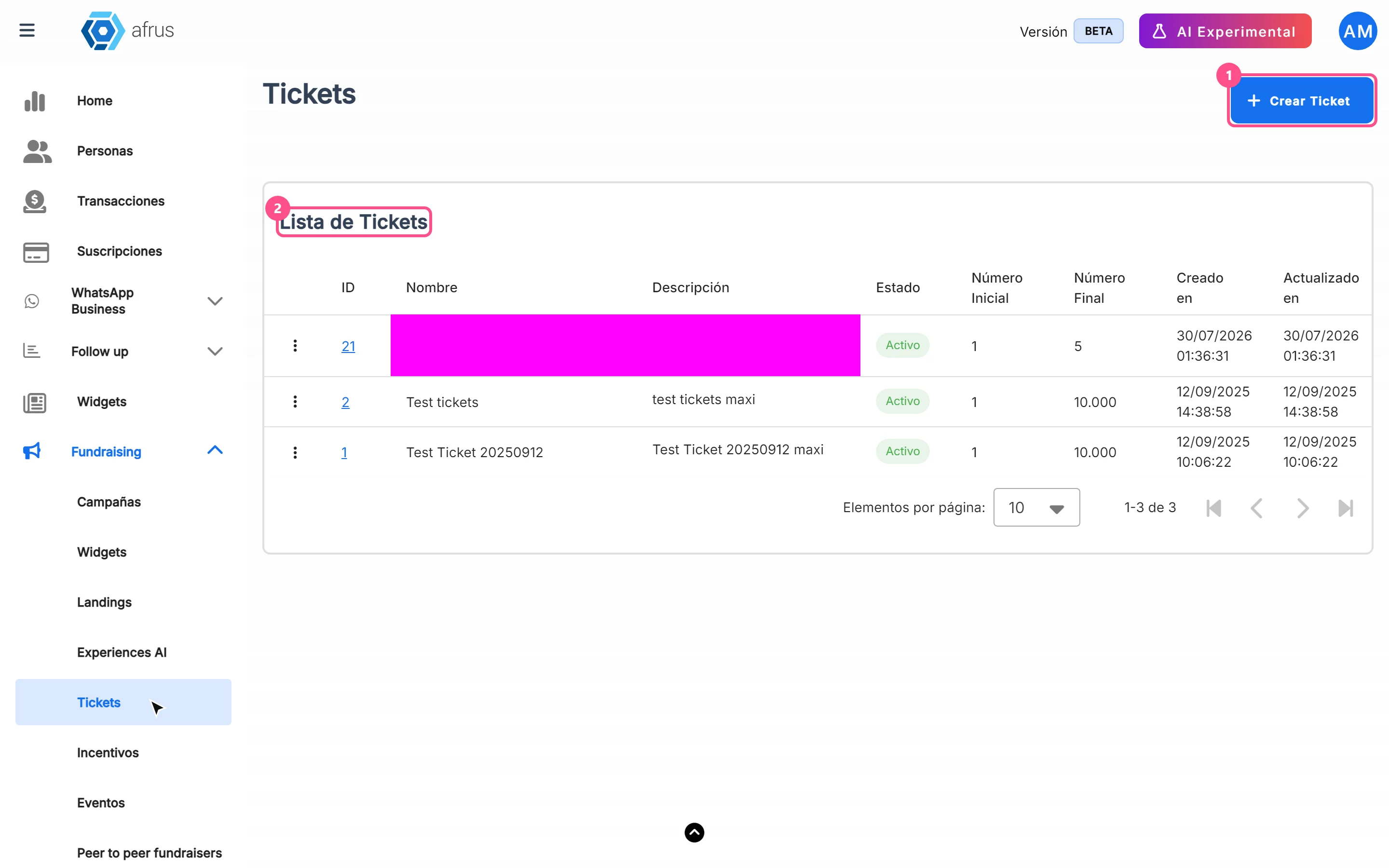
- Create the raffle. Go to Fundraising > Tickets and click "Crear Ticket" (Create ticket).
- Fill in the details. Type the Nombre (Name — up to 25 characters so it can be used in a widget) and Descripción (Description — up to 80; if you leave it empty you'll see "Error al crear ticket"). Leave Estado as Activo (Active).
- Set the range. In Rango (Range), enter Número Inicial (start) and Número Final (end) and click "Crear Ticket".
- Create a widget. Go to Fundraising > Widgets and click "Nuevo widget" (New widget). The editor opens in another tab.
- Choose the Product goal. In Objetivo (Goal), choose Producto.
- Add the ticket. Add the Producto block, click "Agregar Producto" (Add product) and in Tipo de Producto (Product type) choose Ticket.
- Choose the raffle and price. In Seleccionar Ticket (Select ticket), choose your raffle and type the Precio del producto (price of each ticket). Click "Agregar Producto".
- Save and publish the widget.
When you finish, donors choose how many tickets they want and see one card per number on the final page.
Frequently asked questions
Can I put two raffles in the same widget?
No. Each widget accepts only one raffle, and regular products can't be mixed with tickets.
Why don't I see my raffle in Seleccionar Ticket?
The list only shows the 10 most recently created raffles.
Does marking it Inactivo (Inactive) stop sales?
No. To stop selling, remove the product from the widget or deactivate the widget.
Need help? Talk to the afrus team
In this article
✕
Related Tutorials

Tickets
October 27, 2026
What Tickets are
Learn what Tickets are in AFRUS: raffles with a number range that you sell from a widget and that are assigned to each buyer.
afrus.ai
Tickets
October 27, 2026
What Tickets are for
Learn what Tickets are for: selling raffle numbers online, assigning them automatically and knowing who bought each one.
afrus.ai
Tickets
October 27, 2026
How often Tickets update
Learn when raffle numbers are assigned and when the Tickets screens update in AFRUS.
afrus.ai
Tickets
October 27, 2026
How to include the ticket number and quantity in my autoresponder
Learn how to send each buyer their raffle numbers and the quantity bought in the autoresponder, using the raffle merge tags.
afrus.ai