🡠 Back


How Pasarela AFRUS is set up
Reading time
1 min
Pasarela AFRUS
October 28, 2026
afrus.ai
Learn how to start using Pasarela AFRUS. You don't need to set anything up: it appears on its own if you use the AFRUS gateway.
In this article
You don't have to set anything up. The section appears on its own when your organization receives its donations through AFRUS's payment gateway. From then on, every transfer is recorded there.
Step by step
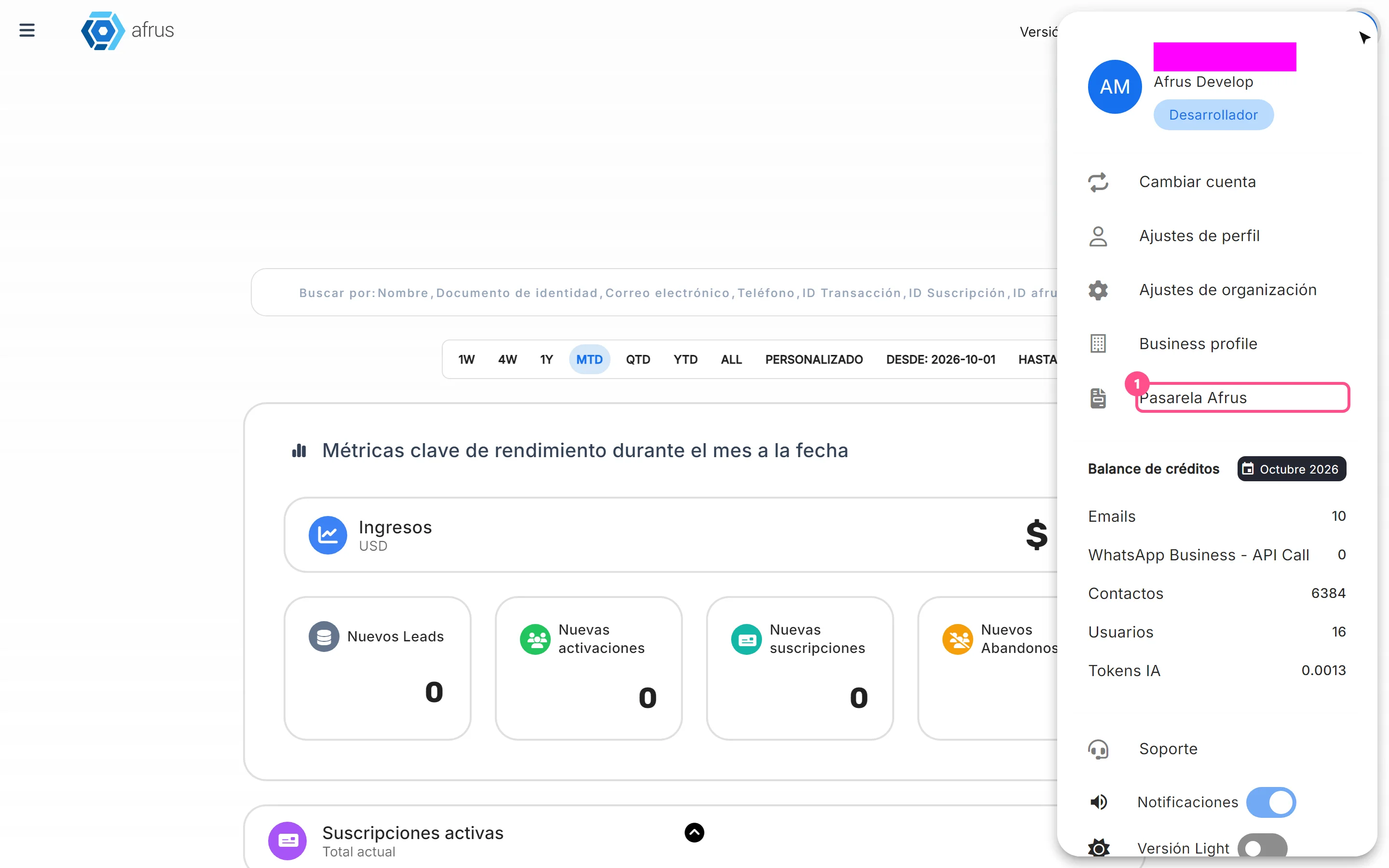
- Open the section. In the profile menu (top corner), choose Pasarela AFRUS.
- Review your transfers. Historial de Pasarela AFRUS (Pasarela AFRUS history) opens. At the top you see Última dispersión (Last payout), Monto de la última dispersión (Amount of the last payout) and Veces dispersado (Times paid out); below, the list of your payouts with Fecha de corte, Fecha de dispersión, Transacciones and Total recaudado.

- Filter by dates (optional). In Filtrar por (Filter by), choose Fecha de dispersión or Fecha de corte, and pick the start and end dates.
Frequently asked questions
Don't see the option in your menu?
It only appears for organizations that use AFRUS's payment gateway. If you think you should see it, write to us.
How often are payouts made?
They are usually made in the first 5 days of each month.
Can I change how often I receive transfers?
Write to us and we'll review your case.
Need help? Talk to the afrus team
In this article
✕
Related Tutorials
Pasarela AFRUS
October 28, 2026
Pasarela AFRUS guide
Complete guide to Pasarela AFRUS: every step with its screenshots and the frequently asked questions.
afrus.ai
Pasarela AFRUS
October 28, 2026
How to read a payout
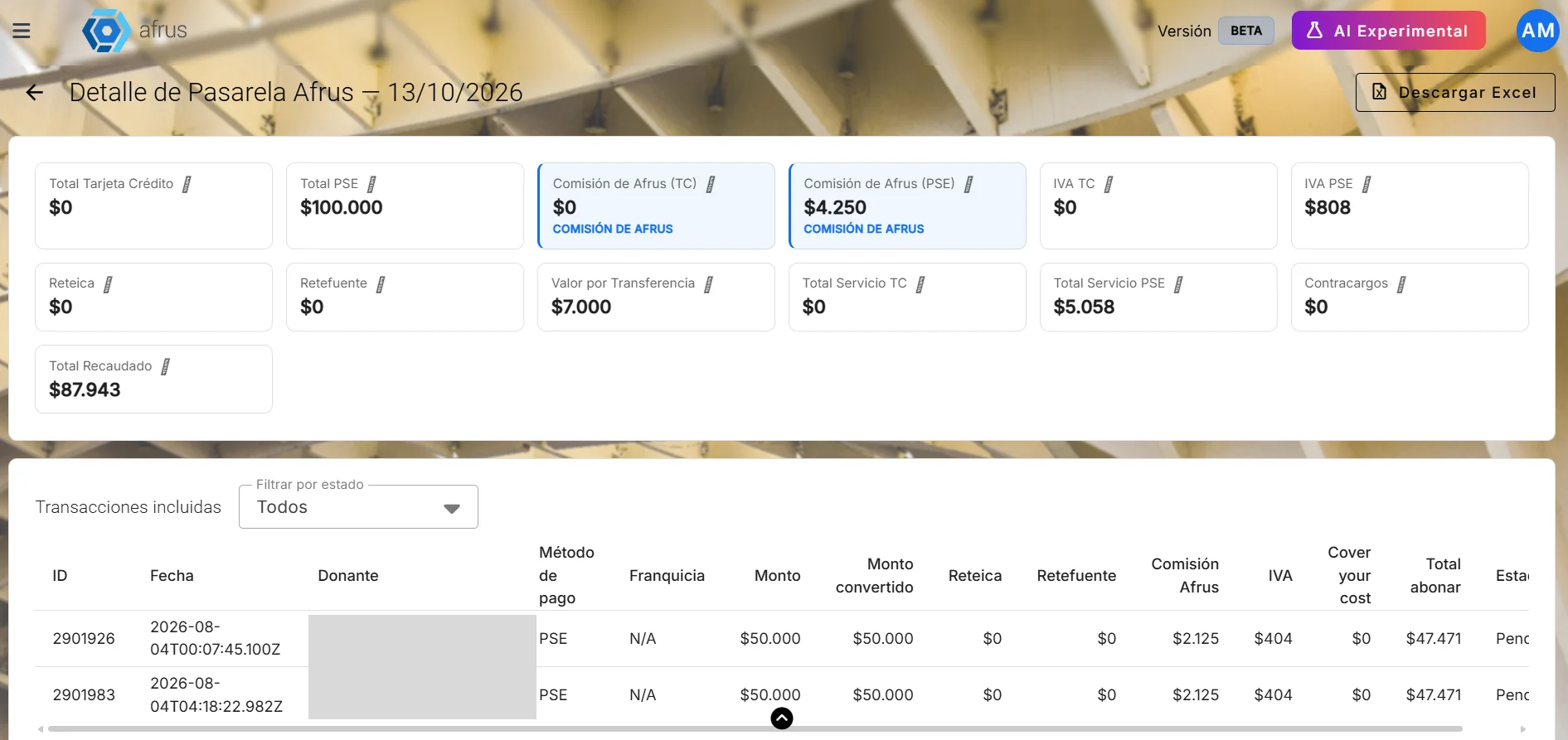
Learn how to read a Pasarela AFRUS payout: dates, total raised, gateway fee, withholdings and what reaches your account.
afrus.ai