🡠 Back


How to add a custom field to my widget
Reading time
1 min
Settings
October 27, 2026
afrus.ai
Learn how to add a custom field to your donation or registration form so donors fill it in.
In this article
Labels are shown as they appear in the Spanish version of the console.
Before you start
- The field must already exist in Ajustes de Organización > Campos personalizados.
Step by step
- Open the form editor. In Fundraising > Widgets, edit the form.
- Add the block. Click "Agregar" (Add) and choose Campo personalizado (Custom field).
- Set it up. Click the block and set it up in Configuración del snippet (Snippet settings).
- Place it. Drag it to where you want it to appear.
- Save. Click "Guardar Snippet" (Save snippet) and then "Guardar Widget" (Save widget).
Frequently asked questions
Can I ask for several fields in the same form?
Yes. Add one Campo personalizado block for each.
My form has several countries. Do I add it in each one?
Yes. Each country has its own list of blocks.
Need help? Talk to the afrus team
In this article
✕
Related Tutorials
Settings
October 27, 2026
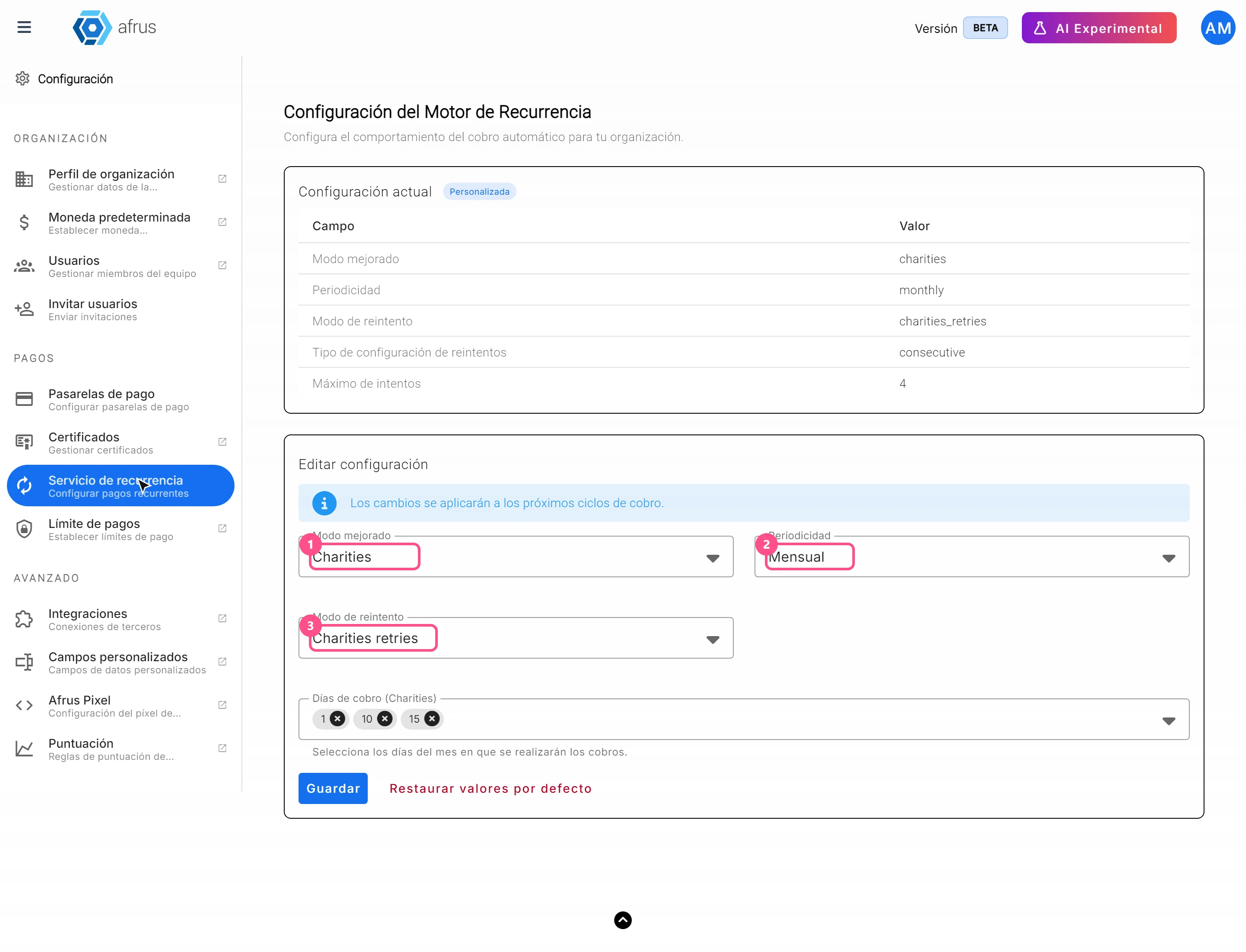
How to set up the Recurrence service
Learn how to set the frequency, charge days and retries of your recurring donations in AFRUS.
afrus.ai
Settings
October 27, 2026
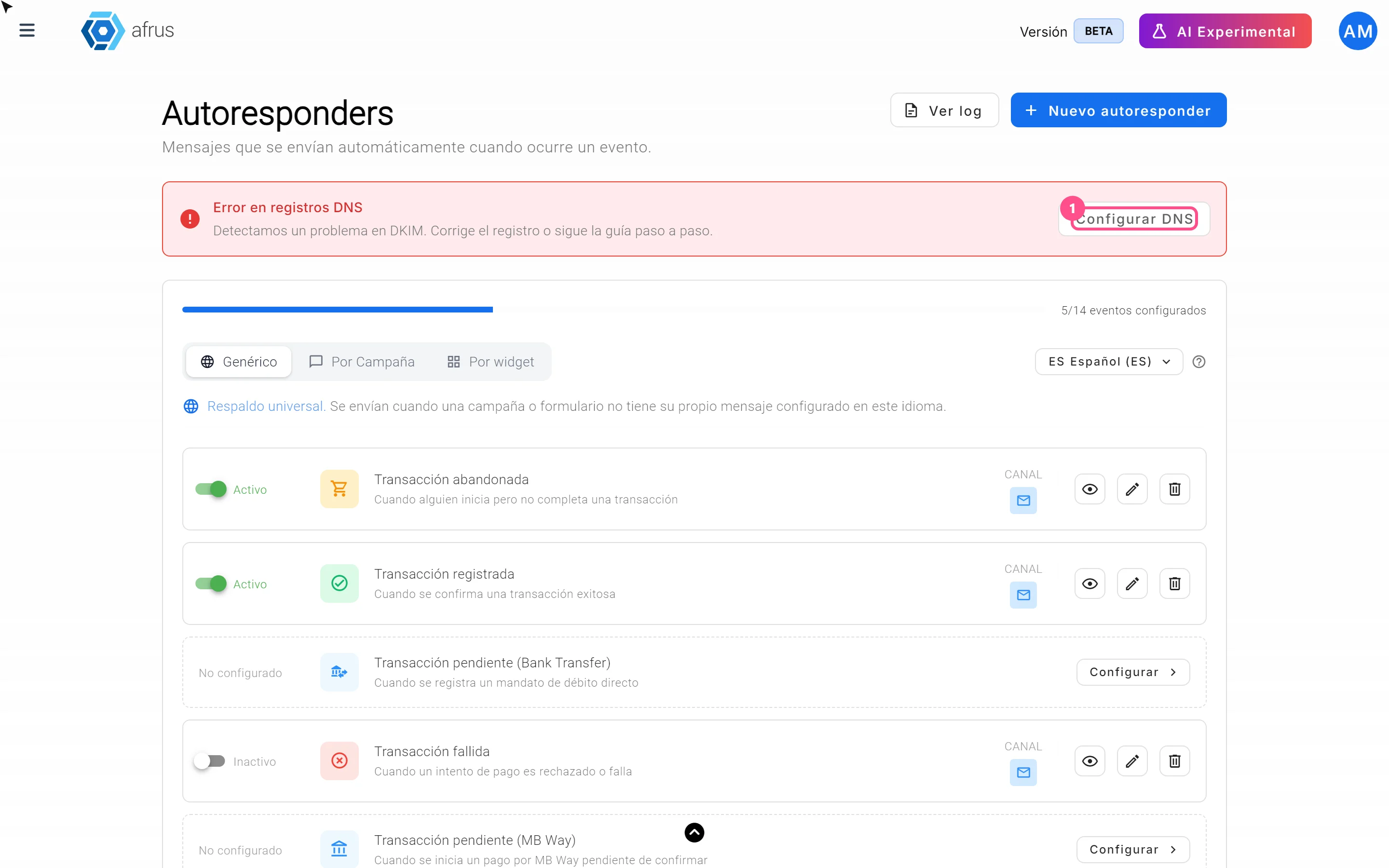
What onboarding automation is
Learn what setting up your email domain in AFRUS means and how to know if it's ready.
afrus.ai
Settings
October 27, 2026
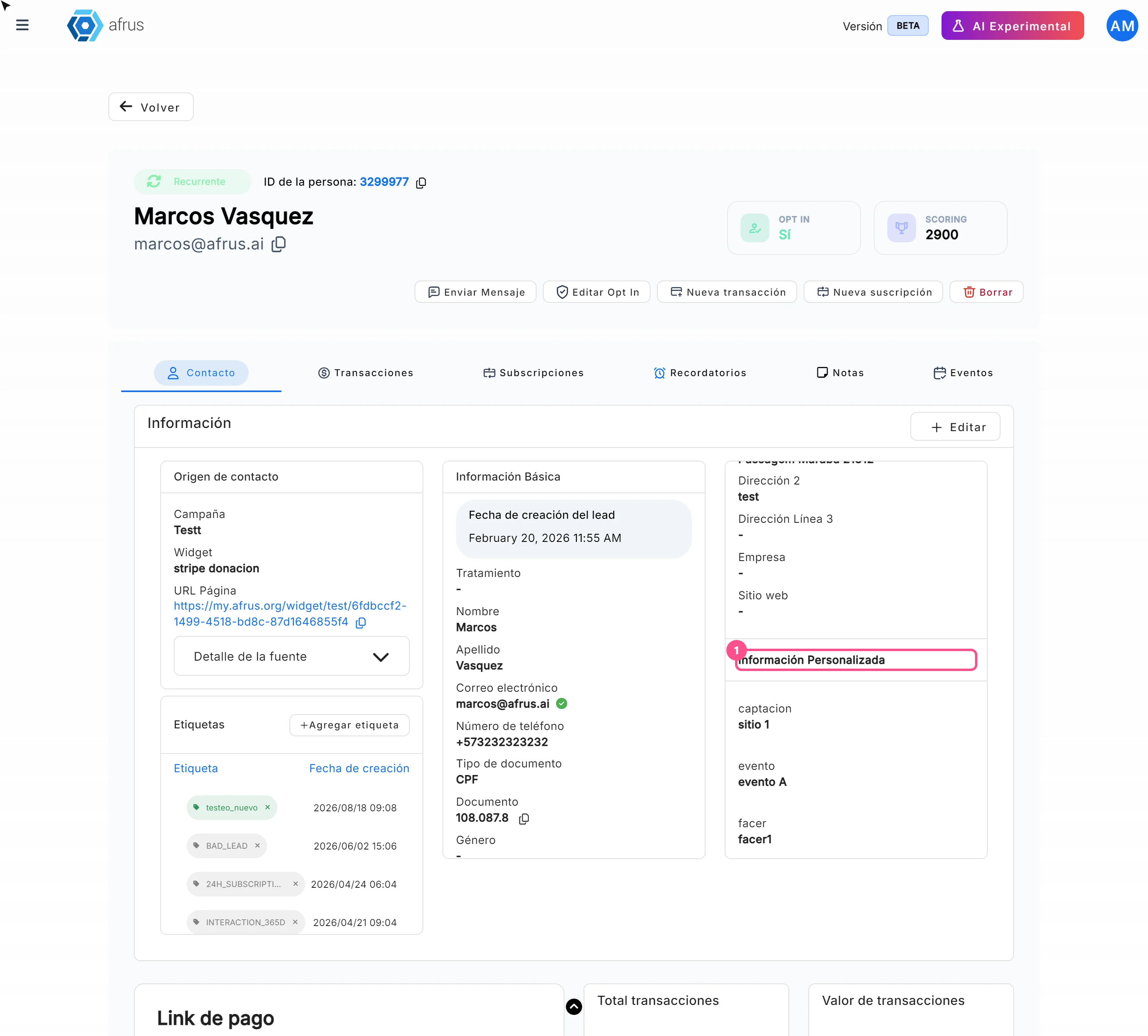
Where to see custom fields
Learn where to see custom fields: in the person's profile, in the people download and in your emails.
afrus.ai
Settings
October 27, 2026
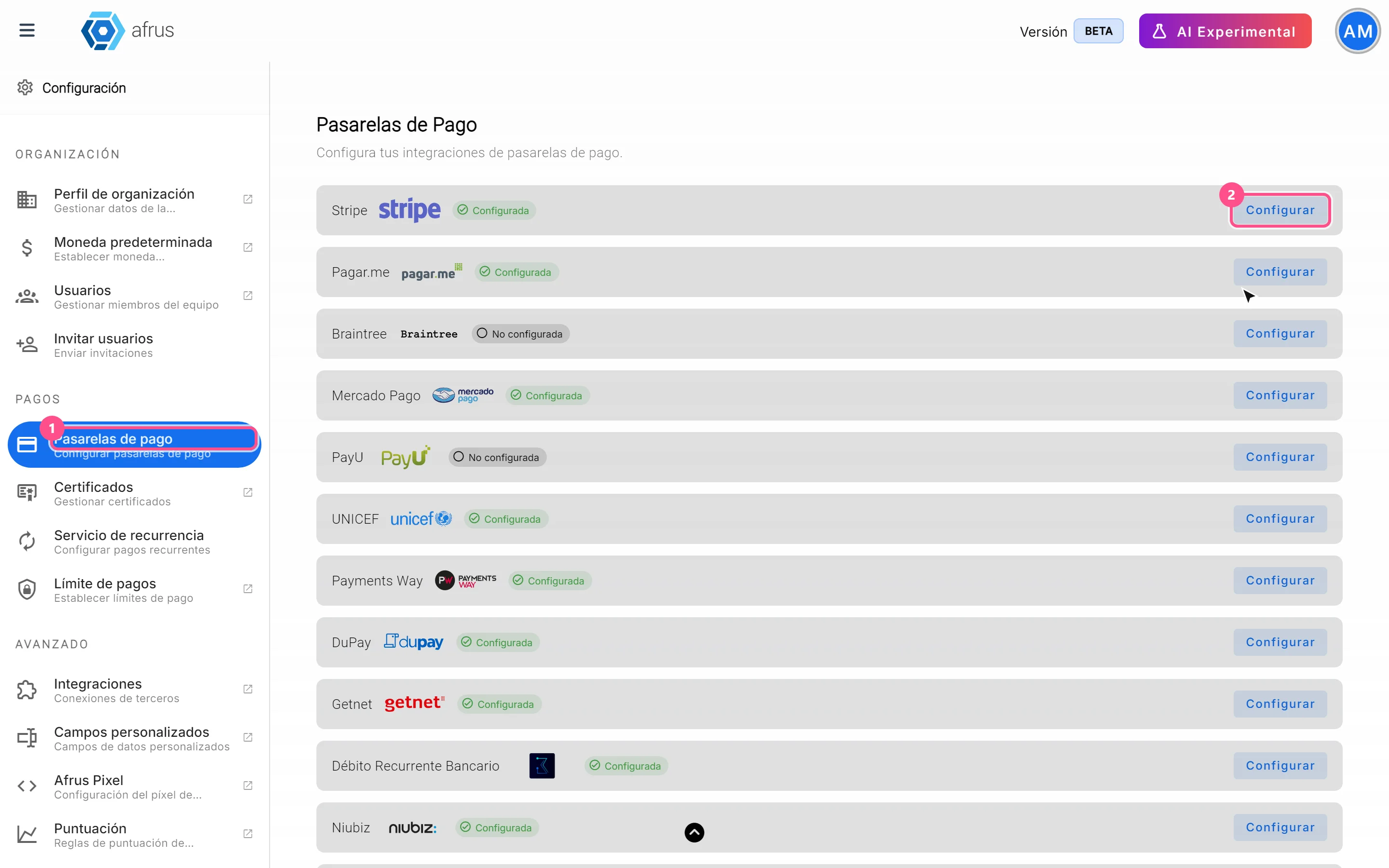
What payment gateways are
Learn what a payment gateway is in AFRUS and where your organization's gateways are set up.
afrus.ai