🡠 Back


How to set up the widgets on the Business profile
Reading time
2 min
Business profile
October 27, 2026
afrus.ai
Learn how to choose which donation widget and which registration widget appear on your organization's Business profile.
In this article
The Business profile has no widget selector of its own. The page automatically shows the default widget with the Transacción (Transaction) goal — your donation form — and the default widget with the Registro (Registration) goal. To change what appears, you choose which widget is the default. Labels are shown as they appear in the Spanish version of the console.
Before you start
- Have your Business profile created. If you don't have it yet, follow the tutorial "How to create the Business profile".
Step by step
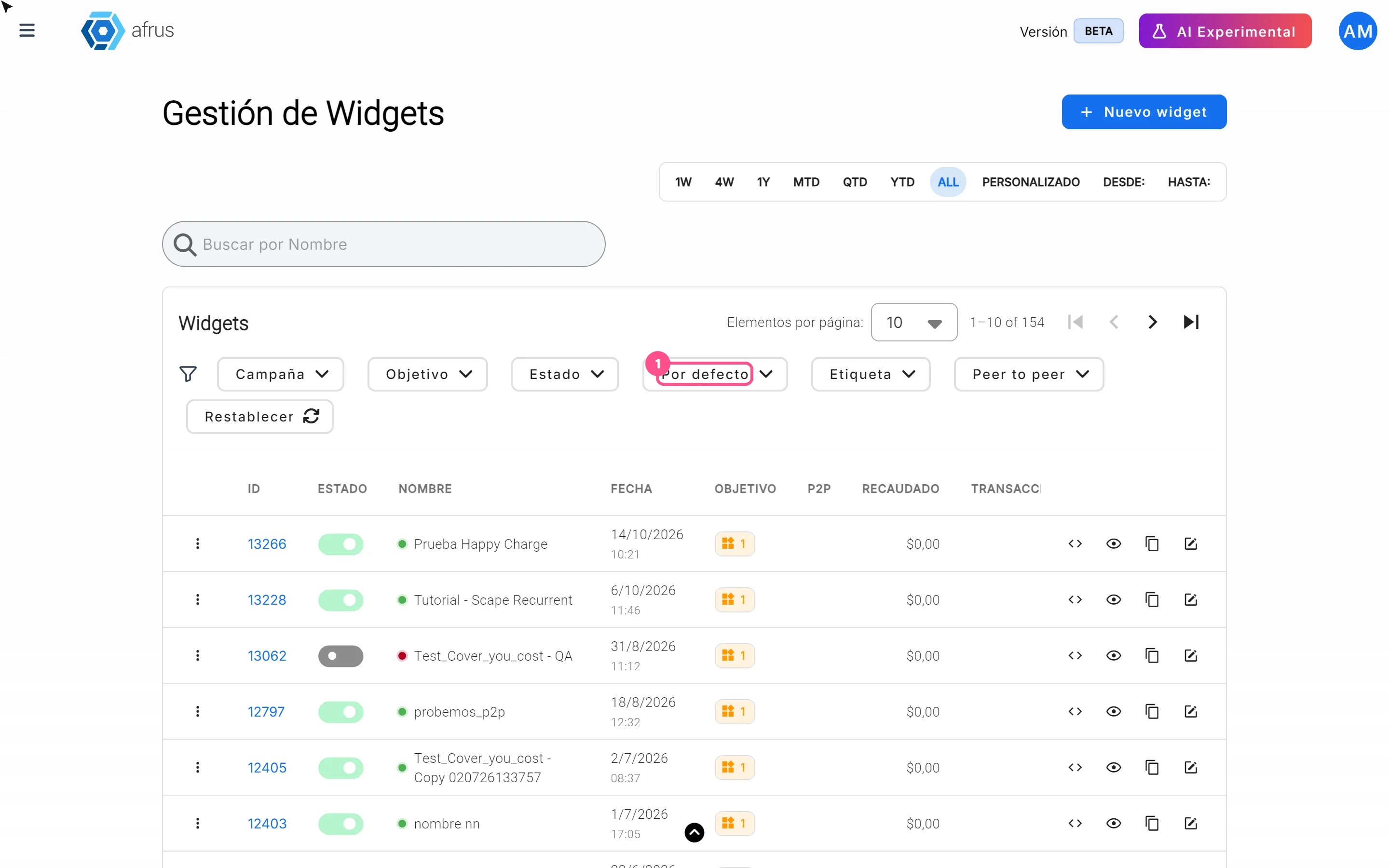
- Open your widgets. Go to Fundraising > Widgets.
- Find the widget you want to show. The Por defecto (Default) / No predeterminado (Not default) filter shows which one is set today. The default widget has a star next to its name.
- Set it as default. In the widget's row, open the three-dot menu and choose Establecer como predeterminado (Set as default). There can only be one per goal: the previous one stops being the default.
- Repeat for the other goal. Do the same with the Registro widget if you also want to change it.
When you finish you will see the star next to the chosen widget, and your Business profile will show it.
Frequently asked questions
Can it be undone?
Yes. In the same menu choose Quitar predeterminado (Remove default), or set another widget. If there is no default widget for a goal, the page does not show that widget.
Can I delete the default widget?
Not from its menu: first remove its default mark or set another one.
Need help? Talk to the afrus team
In this article
✕
Related Tutorials

Business profile
October 27, 2026
What the Business profile is
Learn what the Business profile is: your organization's public page on AFRUS, with your details, social networks, logo and widgets.
afrus.ai
Business profile
October 27, 2026
What the Business profile is for
Learn what the Business profile is for: receiving donations, sending payment links, showing your QR code and feeding AFRUS AI.
afrus.ai
Business profile
October 27, 2026
How to create the Business profile
Learn how to create your organization's Business profile on AFRUS, step by step, and send its information to the AI.
afrus.ai