🡠 Back


How to keep my emails out of spam
Reading time
1 min
Blast
October 27, 2026
afrus.ai
Learn what you can do in AFRUS so your emails reach the inbox and not the spam folder.
In this article
Labels are shown as they appear in the Spanish version of the console.
Step by step
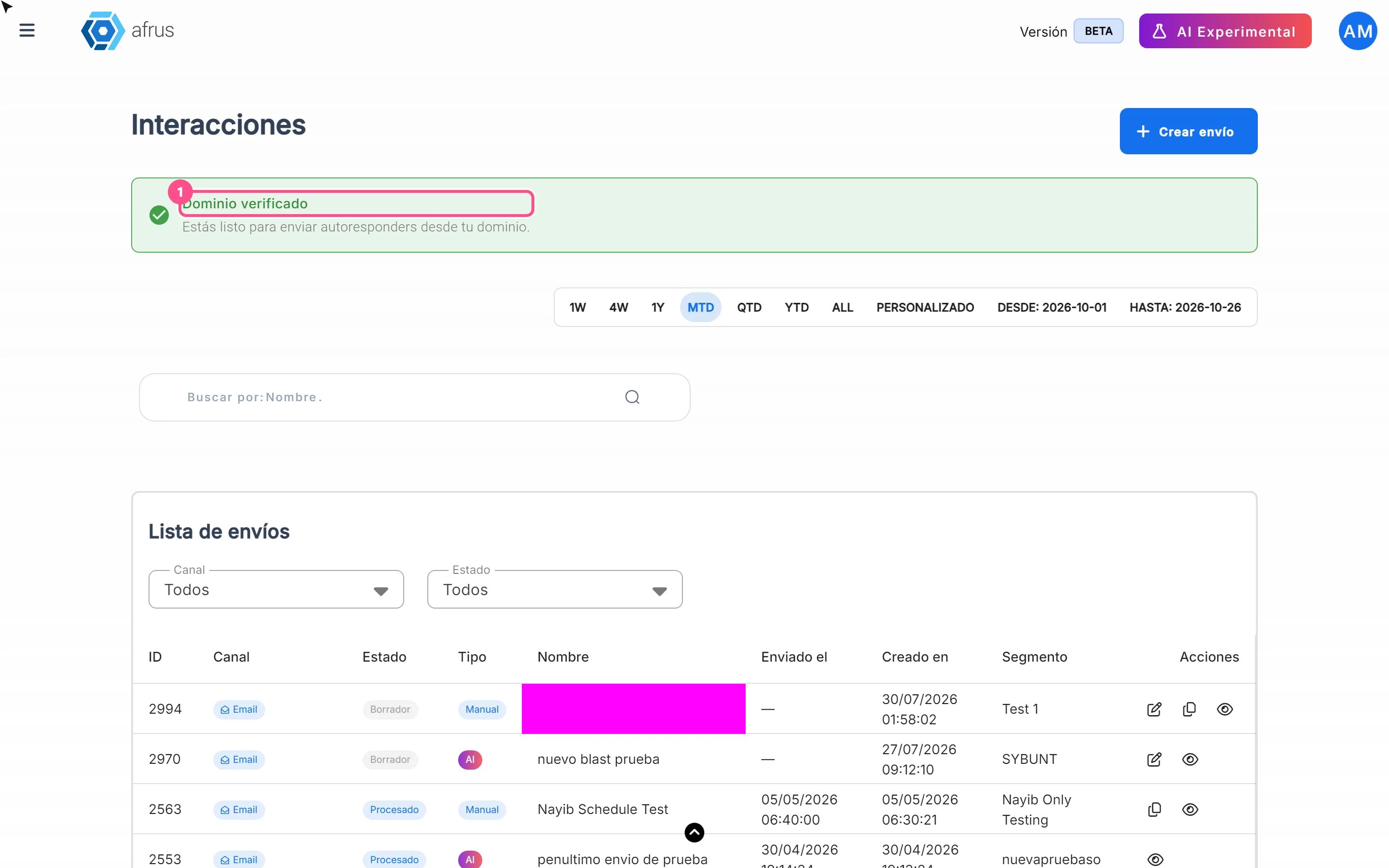
- Verify your email domain. At the top of Interacciones > Blast you will see if it is verified. If not, click "Configurar DNS" (Set up DNS) and follow the 4 steps (that screen looks different because it's from the previous version of AFRUS). If you don't know how, ask whoever manages your website. It can take up to 48 hours.
- Send from an address of your organization. With the domain verified, you can choose as sender your users' addresses with that domain.
- Keep your database clean. Fewer bounces and fewer complaints help your emails arrive.
- Let people unsubscribe. AFRUS adds an unsubscribe link to every email. An unsubscribe is better than a spam complaint.
- Always send yourself a test before sending.
- Don't send emails made only of images. Aim for at least 60% text and 40% images; more text is better.
Need help? Talk to the afrus team
In this article
✕
Related Tutorials

Blast
October 27, 2026
What a Blast is
Learn what a Blast is: the email you send in one go to a group of people in your AFRUS database.
afrus.ai
Blast
October 27, 2026
What a Blast is for
Learn what a Blast is for: keeping your community informed, asking for donations, scheduling emails and measuring results.
afrus.ai
Blast
October 27, 2026
How to see a Blast's statistics
Learn how to see how many people opened your Blast, how many clicked and how many emails bounced.
afrus.ai
Blast
October 27, 2026
Why my Blast shows failed
Learn what it means when a Blast is Fallido (failed), how it differs from Alerta and Bloqueado, and how to resend it.
afrus.ai