🡠 Back


How to read the Logs de interacciones
Reading time
2 min
Trackers
October 27, 2026
afrus.ai
Learn how to find a message in Logs de interacciones, understand its status and resend it if it failed.
In this article
Step by step
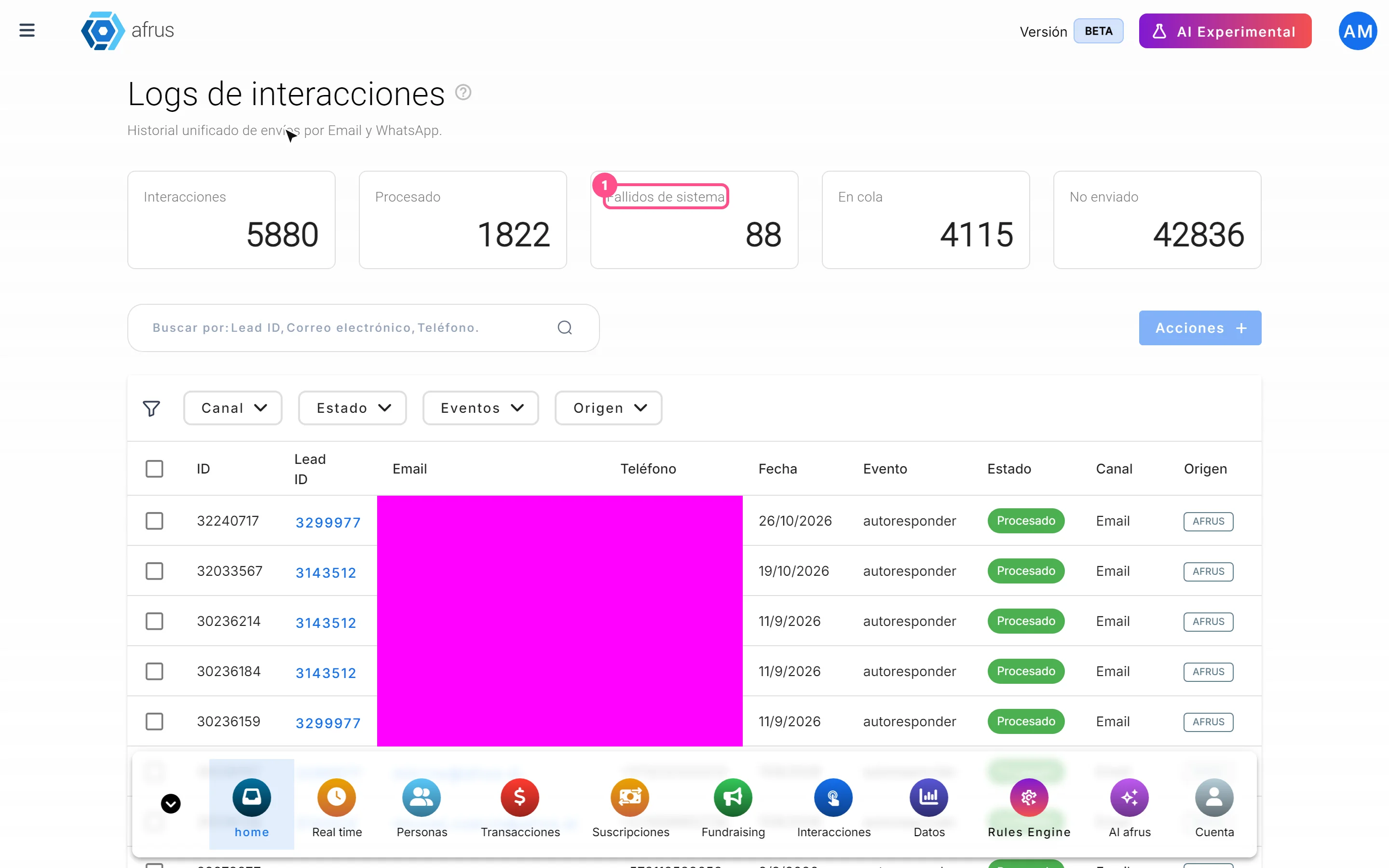
- Open the screen. Go to Trackers > Logs de interacciones.
- Search for the person. Choose Lead ID, Correo electrónico (email) or Teléfono (phone) and type the full, exact value.
- Filter if you need to. By Canal (Channel), Estado (Status), Eventos or Origen (Origin), with one option per filter.
- Read the status. Procesado (Processed): it went out without errors (it doesn't confirm it reached the inbox). En cola (Queued): it's waiting. Fallido (Failed): there was an error. No enviado (Not sent): AFRUS decided not to send it; filter Estado by No enviado to see these rows.
- Look at the message. Click "Ver detalle" (View detail) to see the exact time and the preview.
- Resend if it failed. Check the Fallido rows and click "Acciones" (Actions) > "Reenviar" (Resend).
The status cards at the top count your organization's whole history, without filters; that's why they don't add up to Interacciones.
Frequently asked questions
Can a resend be undone?
No: the message goes out again. Only resend Fallido rows; if you resend a Procesado one, the person gets it twice.
Why can't I find the person?
Search needs the full email or phone number. If there are still no rows, AFRUS didn't prepare any message for them.
Need help? Talk to the afrus team
In this article
✕
Related Tutorials
Trackers
October 27, 2026
What Logs de interacciones is
Learn what Logs de interacciones is: the history of every email and WhatsApp message AFRUS prepared for a person.
afrus.ai

Trackers
October 27, 2026
What Procesos en ejecucion is
Learn what Procesos en ejecucion is: the list of actions you ran on many people at once, with their progress.
afrus.ai
Trackers
October 27, 2026
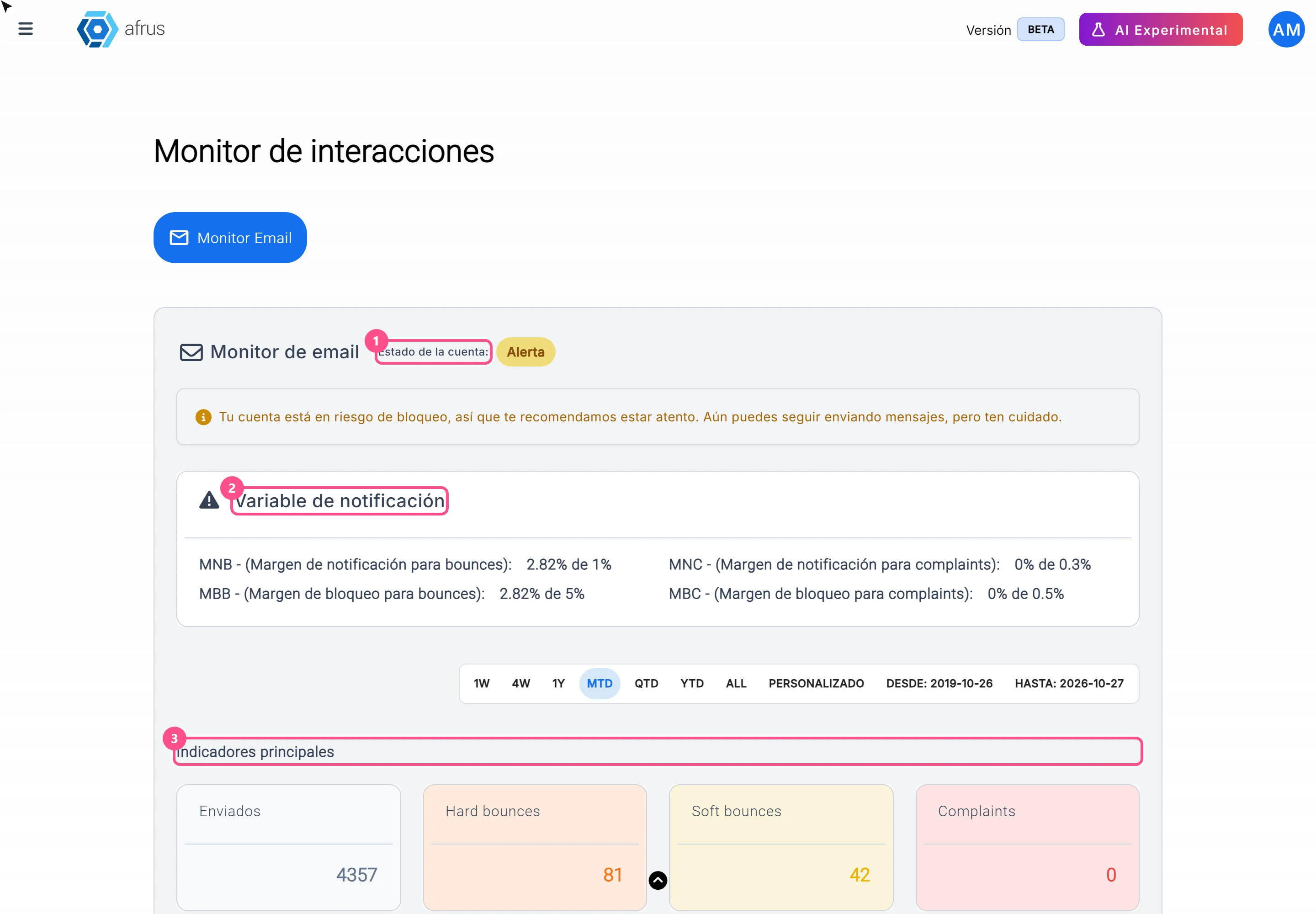
What the Monitor de interacciones is
Learn what the Monitor de interacciones is: the dashboard showing your mass emails' health and your sending account status.
afrus.ai
Trackers
October 27, 2026
How to read Procesos en ejecucion
Learn how to read the information in Procesos en ejecucion and what to do if a bulk action doesn't finish.
afrus.ai