🡠 Back


What Experiences AI is
Reading time
1 min
Experiences AI
October 27, 2026
afrus.ai
Learn what Experiences AI is: the AFRUS tool that uses AI to create donation and thank-you pages ready to publish.
In this article
Experiences AI is a tool that uses artificial intelligence to create a donation or thank-you page (landing page) from a few answers you give. You can then edit it and publish it at its own web address.
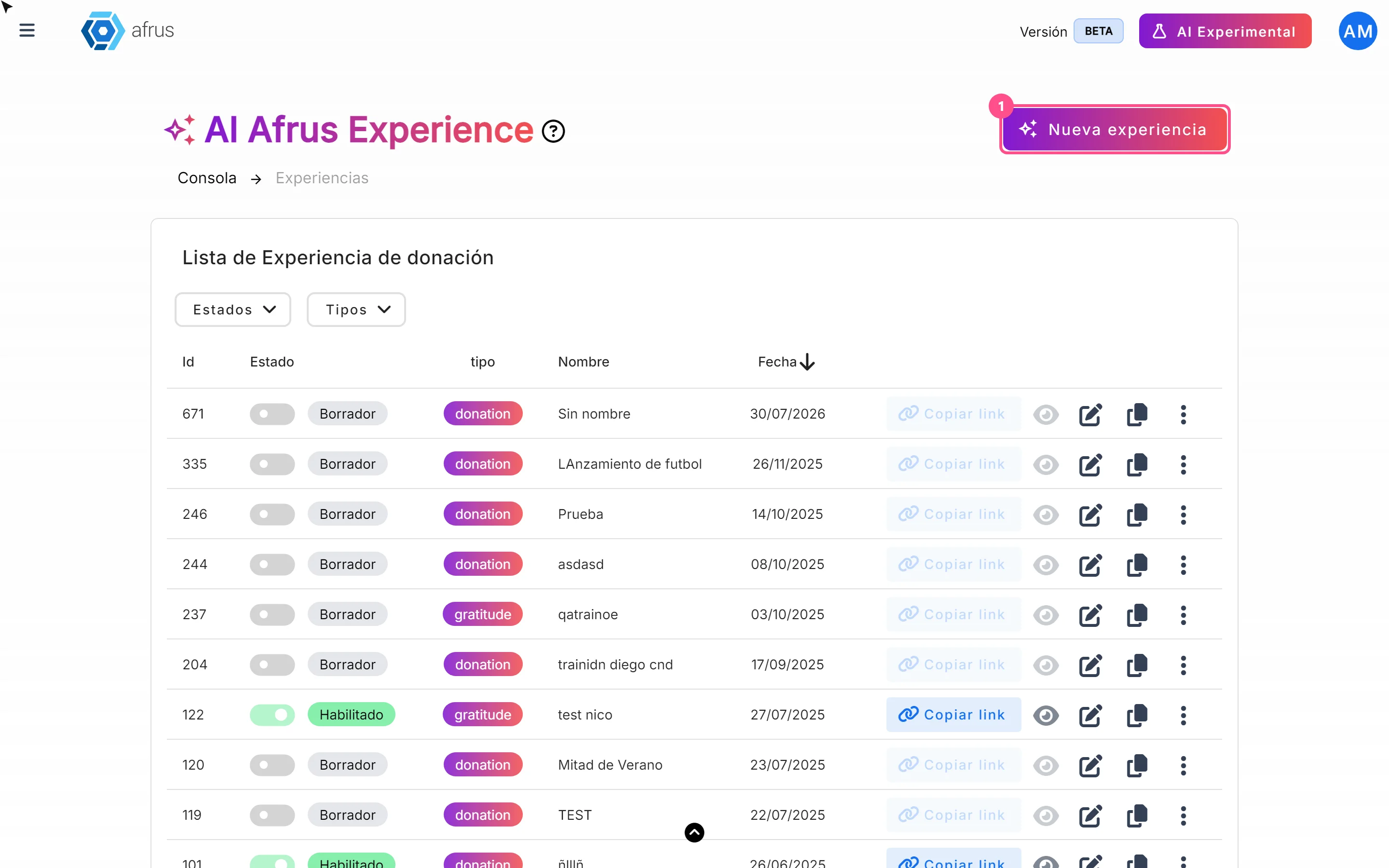
You'll find it in Fundraising > Experiences AI. The pages you create here live only in that module: they are not landings from the Landings module and don't appear in that list. Labels are shown as they appear in the Spanish version of the console.
Before you start
- Activate AFRUS AI. Complete your Business profile and click "Enviar AI" (Send to AI) in its last step. If it isn't active, you'll see the notice "Activación necesaria para usar afrus experience" (Activation required).
Experience statuses
- Borrador (Draft): created but never published; no public link.
- Habilitado (Enabled): published at least once; you can copy the link, view it and download its QR code.
- Deshabilitado (Disabled): marked as disabled in the list.
Frequently asked questions
What kinds of page can I create?
Donación (Donation) and Agradecimiento (Thank you).
Need help? Talk to the afrus team
In this article
✕
Related Tutorials
Experiences AI
October 27, 2026
What Experiences AI is for
Learn what Experiences AI is for: a donation page in minutes, thanking your donors and sharing with a link or QR code.
afrus.ai
Experiences AI
October 27, 2026
How to create a landing page with AI
Learn how to use Experiences AI to create a donation or thank-you page written by artificial intelligence, and publish it.
afrus.ai
Experiences AI
October 27, 2026
How to change my landing page's template in Experiences AI
Learn how to change your Experiences AI page's design with one click, without losing the texts you already have.
afrus.ai
Experiences AI
October 27, 2026
How to change my landing page's styles in Experiences AI
Learn how to change your Experiences AI page's colors with Recolor and how to show or hide its sections.
afrus.ai