🡠 Back


What the Donors component is and how to set it up
Reading time
1 min
Campaigns
October 27, 2026
afrus.ai
Learn what the Donors component is and how to show on your website the list of people who donated to your campaign.
In this article
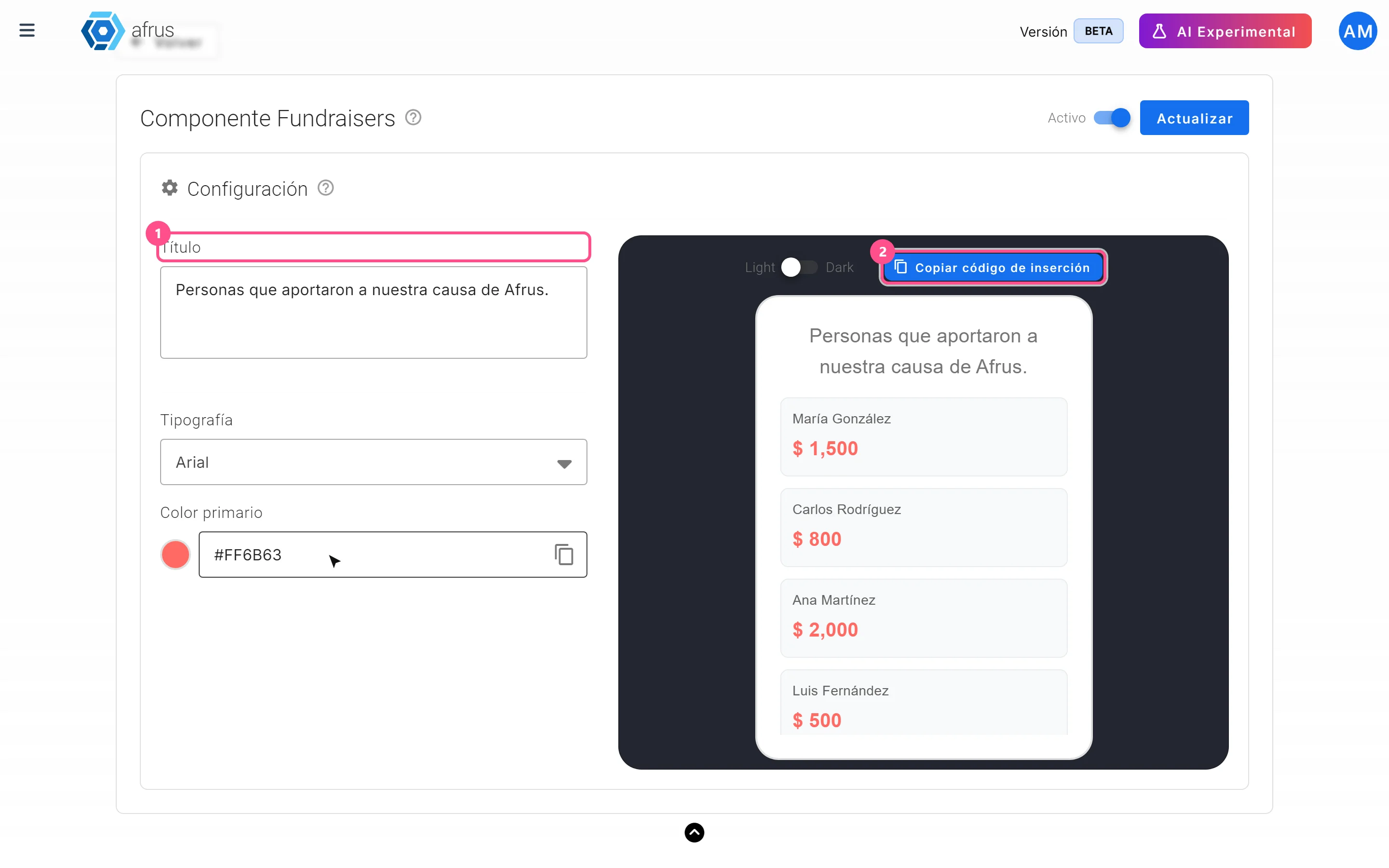
The Componente donantes (Donors component) is a block for your website that shows the list of people who donated to the campaign. By default it is titled "Personas que también donaron" (People who also donated) and shows the first name, last name and amount of each successful donation, newest first. If there are no donations, it shows "No hay donantes disponibles" (No donors available). Labels are shown as they appear in the Spanish version of the console.
Step by step
- Open the configurator. In Fundraising > Campañas, row's three-dot menu, Componente donantes.
- Customize it. Set Título (Title), Tipografía (Font), Color primario (Primary color), the Light or Dark theme and the Activo / Inactivo (Active / Inactive) switch. The preview uses sample names.
- Click "Guardar" (Save) (or "Actualizar" — Update — if it already existed).
- Copy the embed code and paste it into your website.
Frequently asked questions
Can I hide names or amounts?
No. The block publishes each donor's first name, last name and amount; make sure your organization can publish that information.
Do I need to copy the code again if I change something?
Only if you change the font or color. Title, theme and Active / Inactive apply without touching your website.
Need help? Talk to the afrus team
In this article
✕
Related Tutorials

Campaigns
October 27, 2026
What a campaign is in AFRUS
Learn what a campaign is in AFRUS: where you group your widgets' donations and registrations under one fundraising goal.
afrus.ai
Campaigns
October 27, 2026
What a campaign is for in AFRUS
Learn what a campaign is for: tracking your goal, measuring conversion and return, and showing your progress on your website.
afrus.ai
Campaigns
October 27, 2026
How to link a widget to a campaign
Learn how to link a widget to one or more campaigns so its donations and registrations count in the campaign's results.
afrus.ai

Campaigns
October 27, 2026
How to link a thank-you page to a campaign
Learn how to choose a landing or experience as your campaign's thank-you page and turn it on in your widgets.
afrus.ai