🡠 Back


GTM, Setup, and Deduplication Part 2 of 3
Reading time
1
Tracking
June 19, 2026
afrus.ai
How to use your GTM tags with AFRUS events, scenario-based setup, and how to avoid double-counting conversions.
🏷️
How to use GTM with AFRUS events
Triggers, available dataLayer fields and limitations
When the AFRUS widget is on a landing with GTM, each donor action fires a Custom Event in the dataLayer. Your GTM tags can react to them without additional code.
🏷️ How to create a GTM trigger for AFRUS events?
Create a Custom Event trigger → Event Name = exact event name (lowercase, snake_case). E.g.: purchase, generate_lead. Important: Meta is case-sensitive — Lead ≠ lead.
✅ Recommended use cases
- Send conversions to TikTok Ads, LinkedIn, Google Ads
- Activate your own GA4 tag with funnel events
- Remarketing pixels at intermediate steps
- Sync leads with your CRM or email marketing
- Hotjar, Clarity and other behavior tools
⚠️ GTM + Meta / GA4: be careful
- If you already set up Meta/GA4 in the widget, don't configure them in GTM too or you'll duplicate events
- If you want to use only GTM, leave those fields blank in the widget
- Personal data (email, name…) is NOT published to the
dataLayer— AFRUS sends it hashed directly to Meta CAPI
⚠️ Known limitation:
start, add_to_cart, begin_checkout and add_payment_info do not expose deduplication keys in the dataLayer. Only generate_lead and purchase are deduplicatable from GTM.📦 Fields disponibles en el dataLayer por evento
| Evento | Field en dataLayer | Qué contiene | Úsalo para |
|---|---|---|---|
| start | goal | Widget type (donation, register) | Segmentación |
| start | pixel_id | Pixel ID configured in the widget | Informational |
| add_to_cart | ecommerce.items[0].price | Selected amount | Field value en tags |
| begin_checkout | ecommerce.items[0].item_category | Frecuencia (once, monthly) | Segment donation type |
| add_payment_info | ecommerce.payment_type | Payment method (card, bank_transfer…) | Analyze abandonment |
| generate_lead | ecommerce.lead_id | Unique lead ID in AFRUS | eventID in Meta Pixel (deduplication) |
| purchase | ecommerce.transaction_gateway_code | Unique gateway reference | eventID in Meta Pixel AND transaction_id in GA4 |
| purchase | ecommerce.items[0].price | Actual donated amount | Field value en Meta y GA4 |
| purchase | ecommerce.currency | Moneda (COP, USD…) | Field currency |
⚠️ Field crítico para deduplicar Purchase: usa
ecommerce.transaction_gateway_code como eventID — no transaction_id (son valores distintos). El dataLayer.push ocurre síncronamente — no necesitas timers en tus tags.🔧 GTM trigger reference
| Custom Event | Cuándo | ¿Deduplicable? | Uso recomendado |
|---|---|---|---|
| start | On widget load | No | Remarketing, heatmaps |
| add_to_cart | On amount selection | No | Interest remarketing |
| generate_lead | On data capture | Sí — lead_id | CRM, email, Lead Ads |
| begin_checkout | On payment start | No | High-intent remarketing |
| add_payment_info | On method selection | No | Cart remarketing |
| purchase ★ | Donation confirmed | Sí — transaction_gateway_code | Conversions across all platforms |
| register (N/D) | Registration completed | — | Use generate_lead instead |
⚙️
Configuration by scenario
What to activate depending on how you manage your tracking
Scenario A — AFRUS manages everything (recommended to start)
You configure Meta and GA4 directly in the widget. You don't need GTM for conversion tracking.
Scenario B — GTM manages Meta and GA4 (full control)
You leave the Meta and GA4 fields blank in the widget. You manage everything from your GTM tags.
Important: your tags must use the correct keys:
lead_id for Lead and transaction_gateway_code for Purchase.Scenario C — AFRUS + GTM for additional platforms (most common)
You configure Meta and GA4 in the widget (like A) and also use GTM to send events to TikTok, LinkedIn or Google Ads. For non-integrated platforms, use purchase and generate_lead triggers.
Landing and widget: complementary roles
| Where | What to configure | What it's for |
|---|---|---|
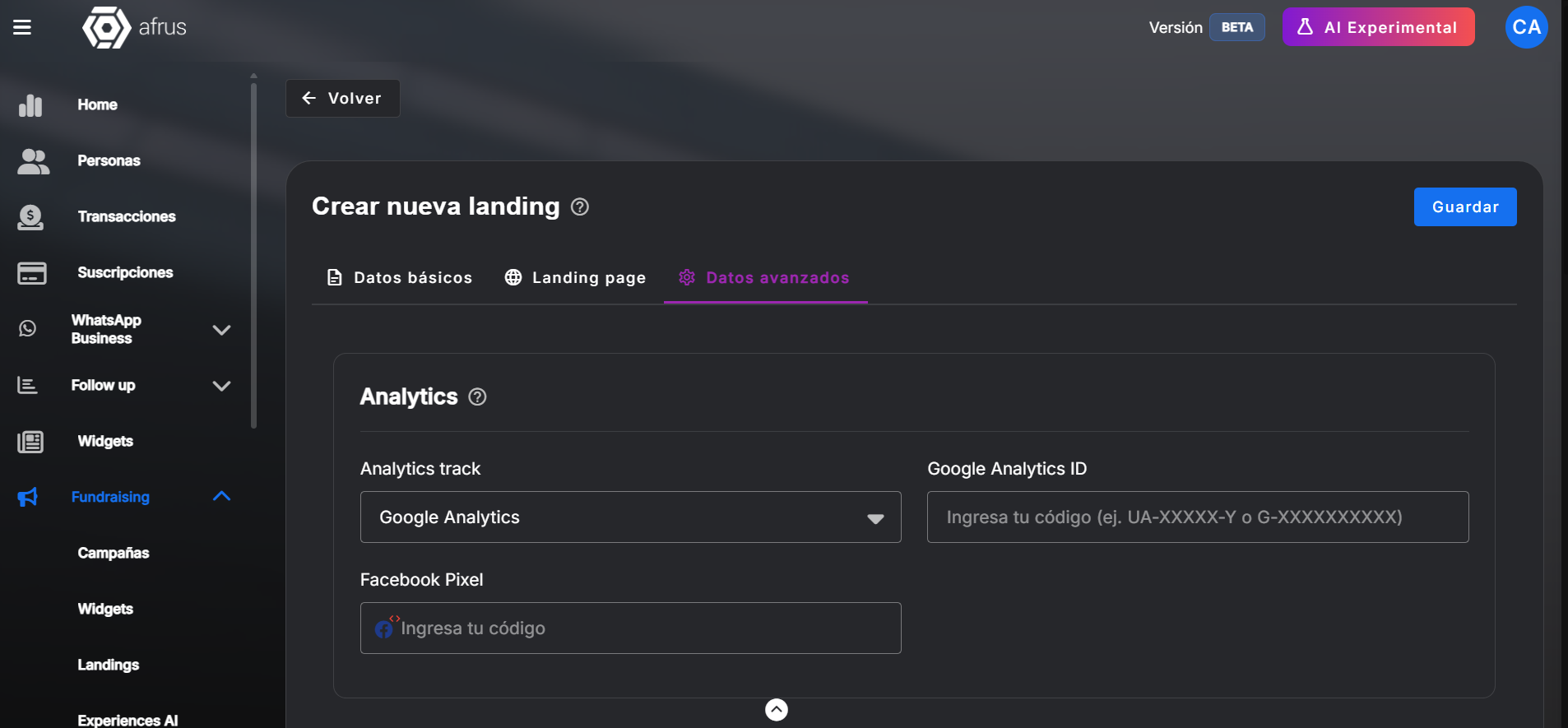
| Landing → Datos avanzados | Facebook Pixel ID | Captures _fbc when visitor comes from an ad. Without this: degraded Meta attribution. |
| Landing → Datos avanzados | Google Analytics ID | Creates the _ga cookie with the client_id. Thread connecting the entire GA4 session. |
| Widget → Avanzado | Pixel ID + Access Token | AFRUS sends funnel events to Meta CAPI using the _fbc from the landing. |
| Widget → Avanzado | Measurement ID + API Secret | AFRUS sends events to GA4 using the client_id from the landing's _ga. |
❌ Widget only, no landing: AFRUS sends events, but without
_fbc (degraded Meta attribution) and without a real client_id (GA4 uses a fallback ID).❌ Landing only, no widget: the PageView is recorded but conversion events (Purchase, Lead) are not sent to Meta or GA4.
🌐 Different domains? In your
gtag.js or GTM, add web.afrus.org to linker.domains. Without this, GA4 treats the cross-domain step as a new session. UTMs do not travel in the thank-you page URL — attribution lives in the _ga cookie, not the URL.🔁
Are conversions counted twice?
How AFRUS deduplicates server, browser and GTM signals
AFRUS sends each event from the server and browser, and publishes it to the dataLayer. So that Meta and GA4 count each conversion only once, it uses unique deduplication keys:
Señal 1
Server+
Señal 2
Browser+
Señal 3
GTM tags→
Clave
ID único→
✓ 1 single
conversion
conversion
| Evento | Deduplication key | Available in dataLayer for GTM |
|---|---|---|
| start, add_to_cart, begin_checkout, add_payment_info | UUID per fire | Only between server and browser — not exposed in dataLayer |
| generate_lead / Lead | lead_id de AFRUS | ✓ Yes — use it as eventID in your Meta Pixel tag |
| purchase / Purchase ★ | transaction_gateway_code | ✓ Yes — use it as eventID in Meta AND as transaction_id in GA4 |
📘 In Meta
Meta combines all signals into a single conversion thanks to the shared Event ID. Result: better Event Match Quality, better attribution and campaign optimization.
📗 In Google Analytics 4
GA4 only deduplicates purchase events with the same transaction_id. For other events, GA4 has no native deduplication. If you have GTM tags firing in parallel, GA4 will count them separately.
Related Tutorials
Tracking
June 22, 2026
Benefits, Verification, and FAQ Part 3 of 3
What's new in your campaigns, how to verify everything is working, known limitations, and FAQ.
afrus.ai
Tracking
June 22, 2026
How AFRUS records your donors' actions? Part 1 of 3
Where to set up tracking codes, how data submission works, and what event is recorded at each step of the funnel.
afrus.ai