🡠 Back


How to read the Logs de analytics
Reading time
2 min
Trackers
October 27, 2026
afrus.ai
Learn how to check in Logs de analytics that Google Analytics 4, Meta or Tag Manager receive your forms' events.
In this article
Step by step
- Make a test donation or wait for real donations.
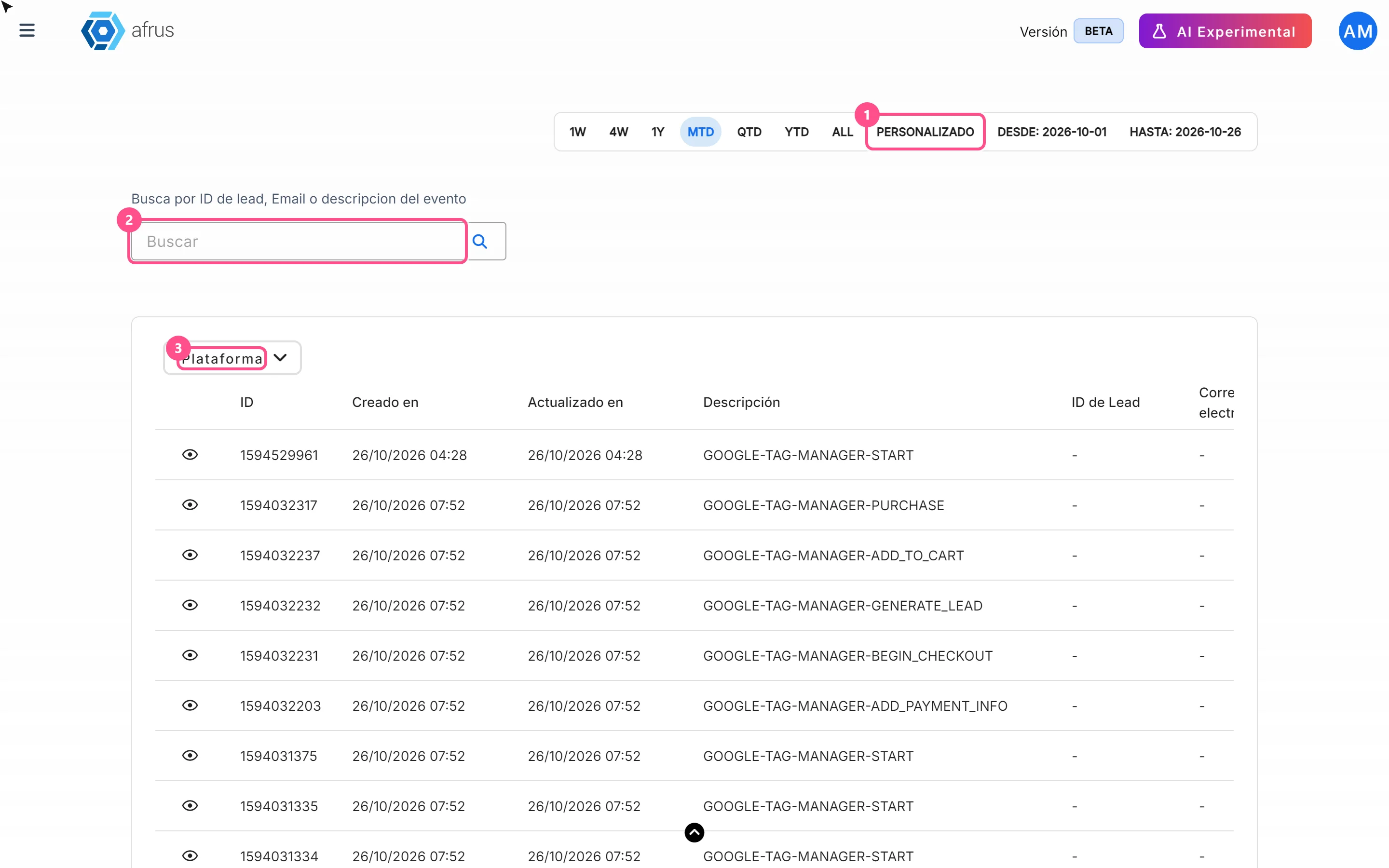
- Open the screen. Go to Trackers > Logs de analytics and choose a date range that includes the test (it opens on the current month).
- Search for the person. Type their email or ID and click the magnifying glass (Enter doesn't search).
- Read the Descripción (Description). GOOGLE-… is Google Analytics 4, FACEBOOK-… is Meta and GOOGLE-TAG-MANAGER-… is Tag Manager. The last part says what happened: START (form opened), PURCHASE (payment confirmed), REGISTER (sign-up); the rest are steps in between.
- Open the detail. Click the eye on the row to see what was sent and what the tool answered.
How to read the answer
- Meta: if it failed, you'll see success: false and the reason, for example missing Pixel details.
- Google Analytics 4: missing_ga_credentials means the form is missing its GA4 details and the event was not sent. If there's no error, confirm it in GA4's real-time report.
- Tag Manager: logged_only: true is normal; Tag Manager receives it directly from the person's browser.
Frequently asked questions
The Google Analytics filter shows nothing. It's a known problem. Type google and the event (for example google purchase) in the search box and click the magnifying glass.
Why doesn't the time say morning or afternoon?
It's shown in 12-hour format without AM/PM.
Learn more about analytics tracking
To understand in depth how AFRUS records your donors' actions and how to set up your analytics tools, check these tutorials:
Need help? Talk to the afrus team
In this article
✕
Related Tutorials
Trackers
October 27, 2026
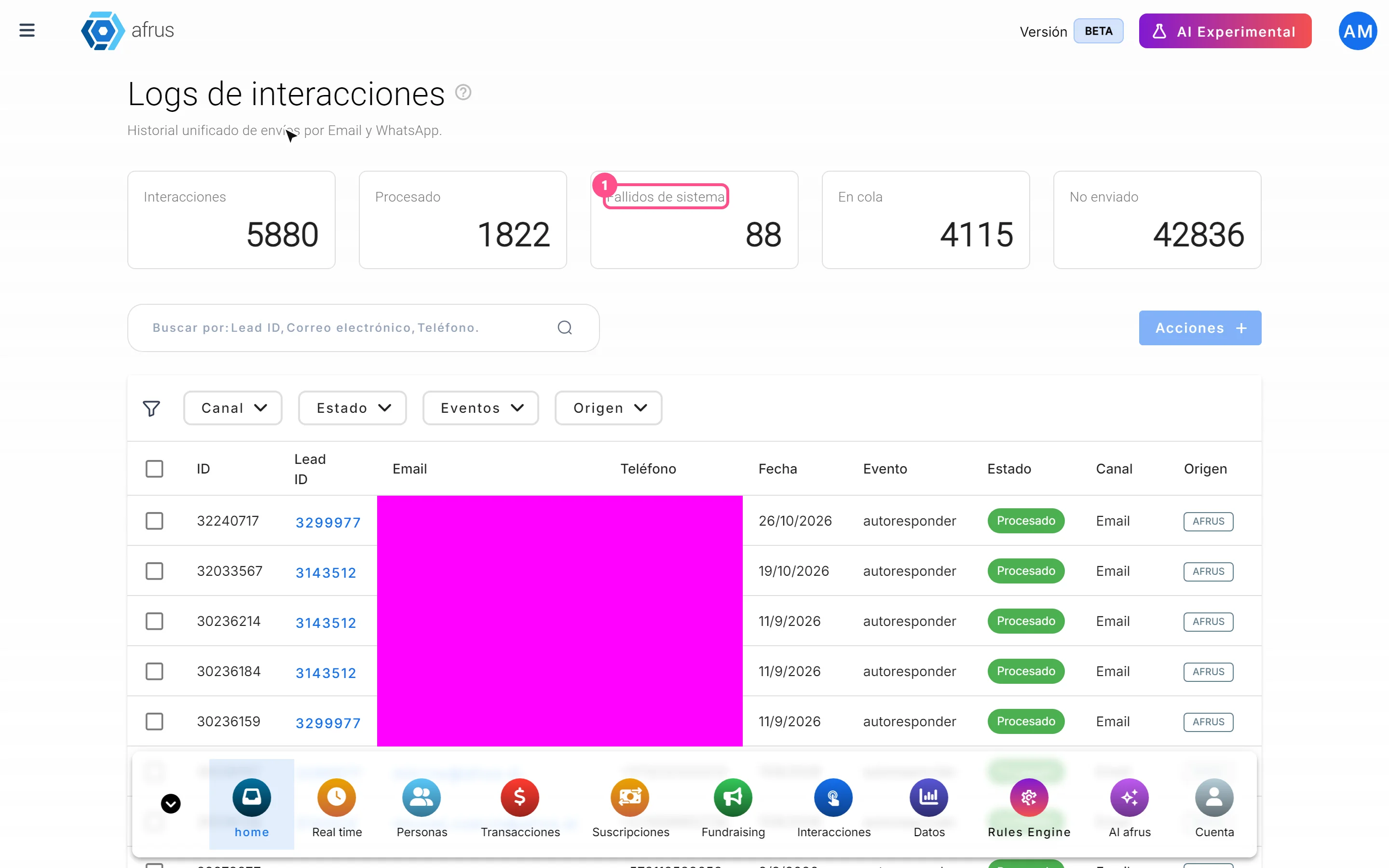
What Logs de interacciones is
Learn what Logs de interacciones is: the history of every email and WhatsApp message AFRUS prepared for a person.
afrus.ai

Trackers
October 27, 2026
What Procesos en ejecucion is
Learn what Procesos en ejecucion is: the list of actions you ran on many people at once, with their progress.
afrus.ai
Trackers
October 27, 2026
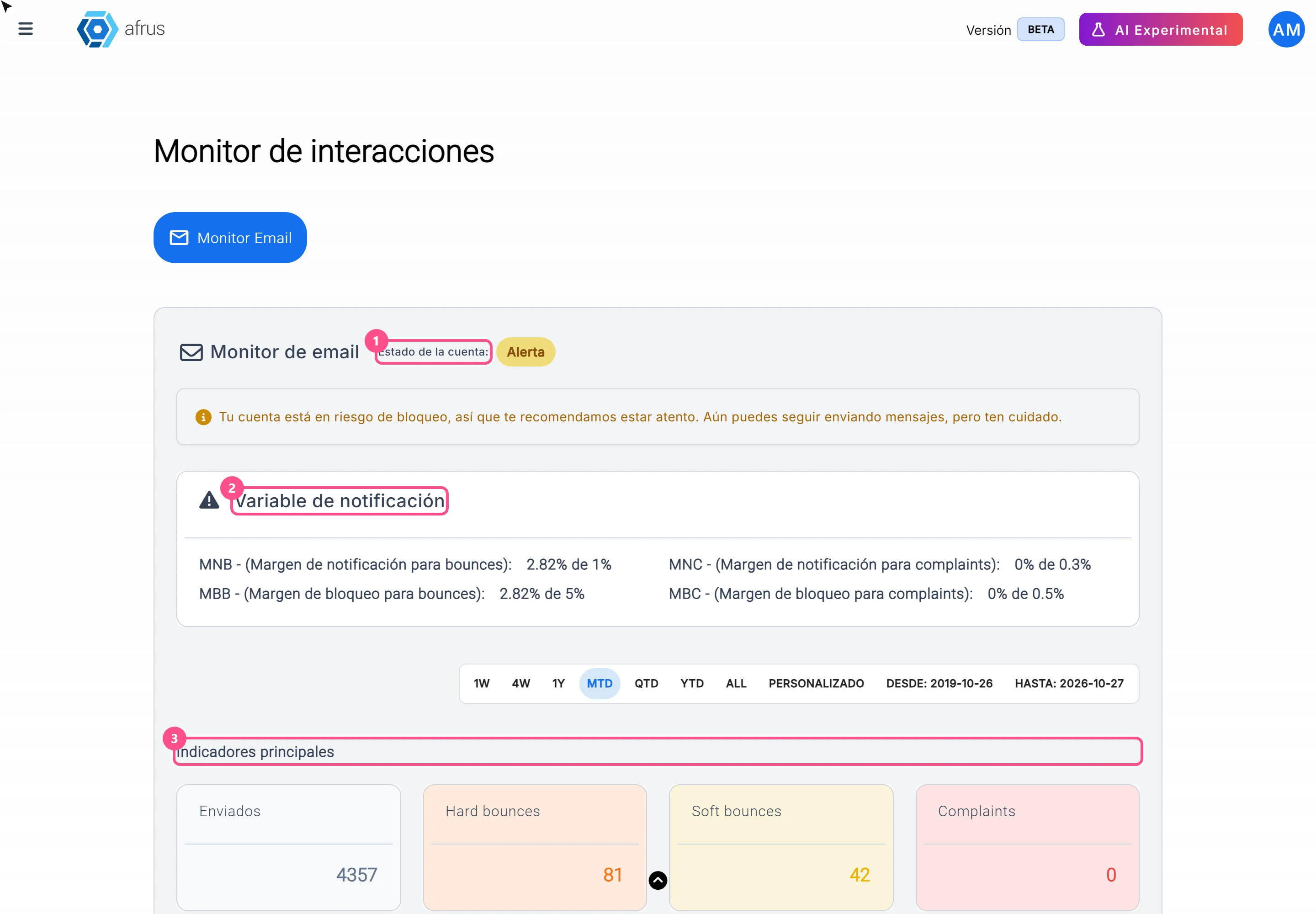
What the Monitor de interacciones is
Learn what the Monitor de interacciones is: the dashboard showing your mass emails' health and your sending account status.
afrus.ai
Trackers
October 27, 2026
How to read Procesos en ejecucion
Learn how to read the information in Procesos en ejecucion and what to do if a bulk action doesn't finish.
afrus.ai