🡠 Back


Leads spam guide
Reading time
4 min
Follow up
October 28, 2026
afrus.ai
Complete guide to Leads spam: every step with its screenshots and the frequently asked questions.
In this article
After reading this guide you will know what Leads spam is, what it is for, when AFRUS considers a registration to be spam, and how to bring a real person who was set aside back into your database.
Module: Follow up · Menu: Follow up > Leads spam · Audience: fundraising, data and donor care teams
About the labels in this guide: buttons, fields and menus are written exactly as they appear in the Spanish version of the console, with an English explanation where it helps.
What Leads spam is
Leads spam is the list of people AFRUS automatically set aside, in "quarantine", because their form registration looks like it was made by a bot.
These people are not deleted: they are kept in this list so your team can review them and, if someone is real, bring them back to your database with one click.
What it is for
- Keeping your People database clean. Automated registrations don't mix with your real donors and contacts.
- Not losing anyone. People set aside are kept, so you can review them whenever you want.
- Fixing mistakes in time. With "No es spam" (Not spam) you bring back any real person who was set aside.
- Protecting your numbers. People in quarantine don't count in segments, campaigns, reports or the home dashboard, and they don't receive automated emails.
Step by step
How to review spam leads and restore a person
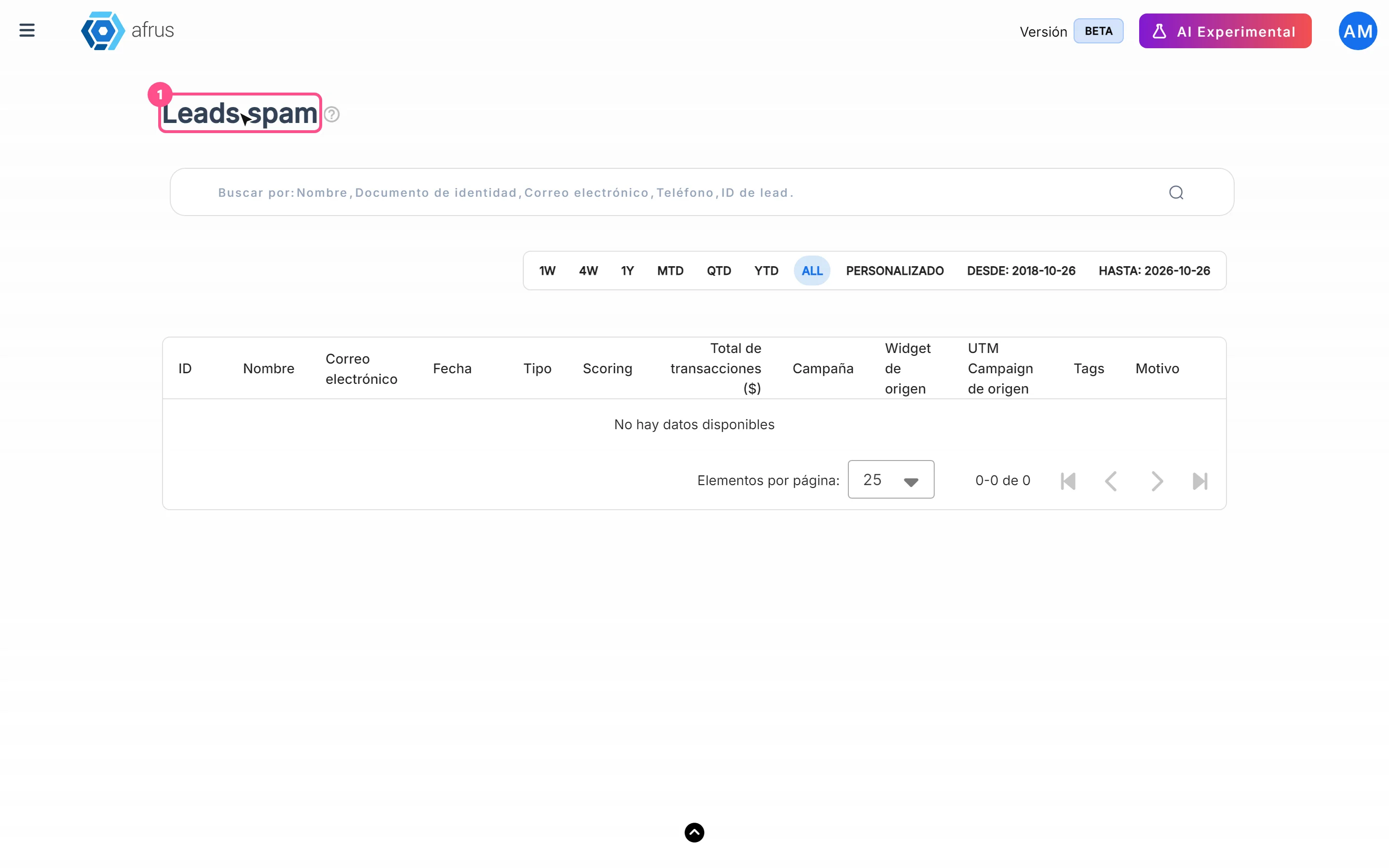
Open the list. Go to Follow up > Leads spam.
Choose the date range. By default it shows the current month. The filter uses the date the person was created.
Review each row. Look at the name, email, Campaña (Campaign), source widget and the Motivo (Reason) column, which shows why AFRUS set the registration aside (see the reasons table below).
Restore real people. If you recognize a real person, click "No es spam" in their row. They go back to Personas (People), your segments and your automated communications.
When you finish, the person no longer appears in the list and is back in your database. If something fails you will see "Error al restaurar la persona" (Error restoring the person).
Important: people are restored one at a time. This screen has no multiple selection or bulk actions (export, tag or delete), on purpose, so each case is reviewed carefully.
How often it updates
- The decision is made in real time, at the moment the person registers through a form or widget.
- The screen doesn't refresh by itself. It loads when you open it and when you change dates, sorting or page. If you are expecting a new registration, reload it.
When a lead is considered spam
AFRUS evaluates each registration the moment it arrives from a form or widget. It sets it aside as spam when the registration matches several signals typical of automated registrations. The Motivo column shows the signals that matched, with these codes (shown in English as is):
| Reason | What it means |
|---|---|
no_origin_metadata |
The registration arrived without the source data a widget normally sends |
ua_missing_or_blocklisted |
The browser didn't identify itself, or identified itself as an automated tool |
ip_velocity |
Too many registrations came from the same connection in a short time |
implausible_identity |
The identity data isn't plausible (for example, disposable emails or inconsistent data) |
If a person in quarantine completes a confirmed donation, AFRUS restores them automatically.
What mechanisms AFRUS has to fight spam
- Automatic classification of every form registration, with the signals described above.
- Quarantine: people set aside are kept, but stay out of Personas, segments, campaign counts, reports, the home dashboard, tags and automated emails until someone restores them.
- Automatic restoration of anyone who completes a confirmed donation.
- Anti-fraud controls on forms, such as anti-bot verification. See the Radar - monitor de fraude guide for more.
Frequently asked questions
Are the people in Leads spam deleted?
No. They are kept in this list until you restore them.
Do people in quarantine receive my emails?
No. They stay out of automated emails, segments and reports until you restore them.
Last updated: 2026-10-27
Need help? Talk to the afrus team
In this article
✕
Related Tutorials

Follow up
October 28, 2026
Radar - fraud monitor guide
Complete guide to Radar - fraud monitor: every step with its screenshots and the frequently asked questions.
afrus.ai
Follow up
October 28, 2026
Boleto Itaú guide
Complete guide to Boleto Itaú: every step with its screenshots and the frequently asked questions.
afrus.ai
Follow up
October 28, 2026
Payment links guide
Complete guide to Payment links: every step with its screenshots and the frequently asked questions.
afrus.ai
Follow up
October 28, 2026
Subscription tasks guide
Complete guide to Subscription tasks: every step with its screenshots and the frequently asked questions.
afrus.ai