🡠 Back


How to turn a person's opt-in on or off
Reading time
1 min
People
October 27, 2026
afrus.ai
Learn how to change a person's communication consent (opt-in) on AFRUS, channel by channel.
In this article
Labels are shown as they appear in the Spanish version of the console.
Step by step
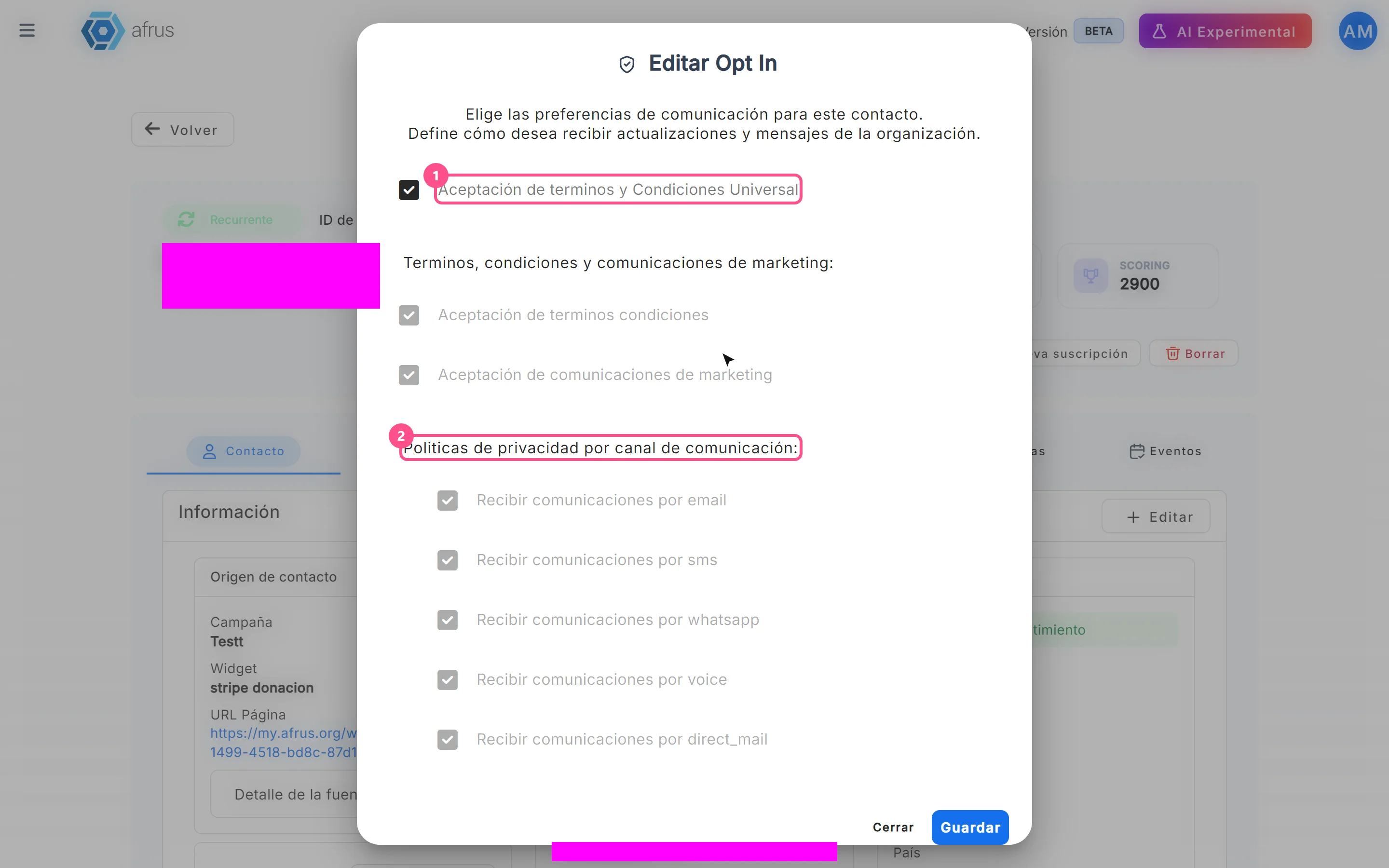
- Open the opt-in window. In the person's profile, click "Editar Opt In" (Edit opt-in).
- Check or uncheck consents. Aceptación de terminos y Condiciones Universal (universal acceptance) checks everything and locks the rest; Aceptación de terminos condiciones (terms acceptance); Aceptación de comunicaciones de marketing (marketing acceptance) checks or unchecks all channels; and under Recibir comunicaciones por (receive communications by) you choose channel by channel: email, sms, whatsapp, voice and direct_mail (postal mail).
- Save. Click "Guardar" (Save).
You will see "El Opt In se ha cambiado correctamente" (Opt-in changed successfully). The profile's Opt in card shows Sí (Yes) if there is consent on at least one channel.
Frequently asked questions
Why can't I uncheck a channel?
While Aceptación de terminos y Condiciones Universal is checked, the other options are locked. Uncheck it first.
Can it be undone?
Yes. Open "Editar Opt In" again and change the boxes.
Need help? Talk to the afrus team
In this article
✕
Related Tutorials

People
October 27, 2026
What the People (Personas) module is for
Learn what Personas is for: finding your contacts, knowing their history, recording donations and managing consent.
afrus.ai
People
October 27, 2026
How to create a person
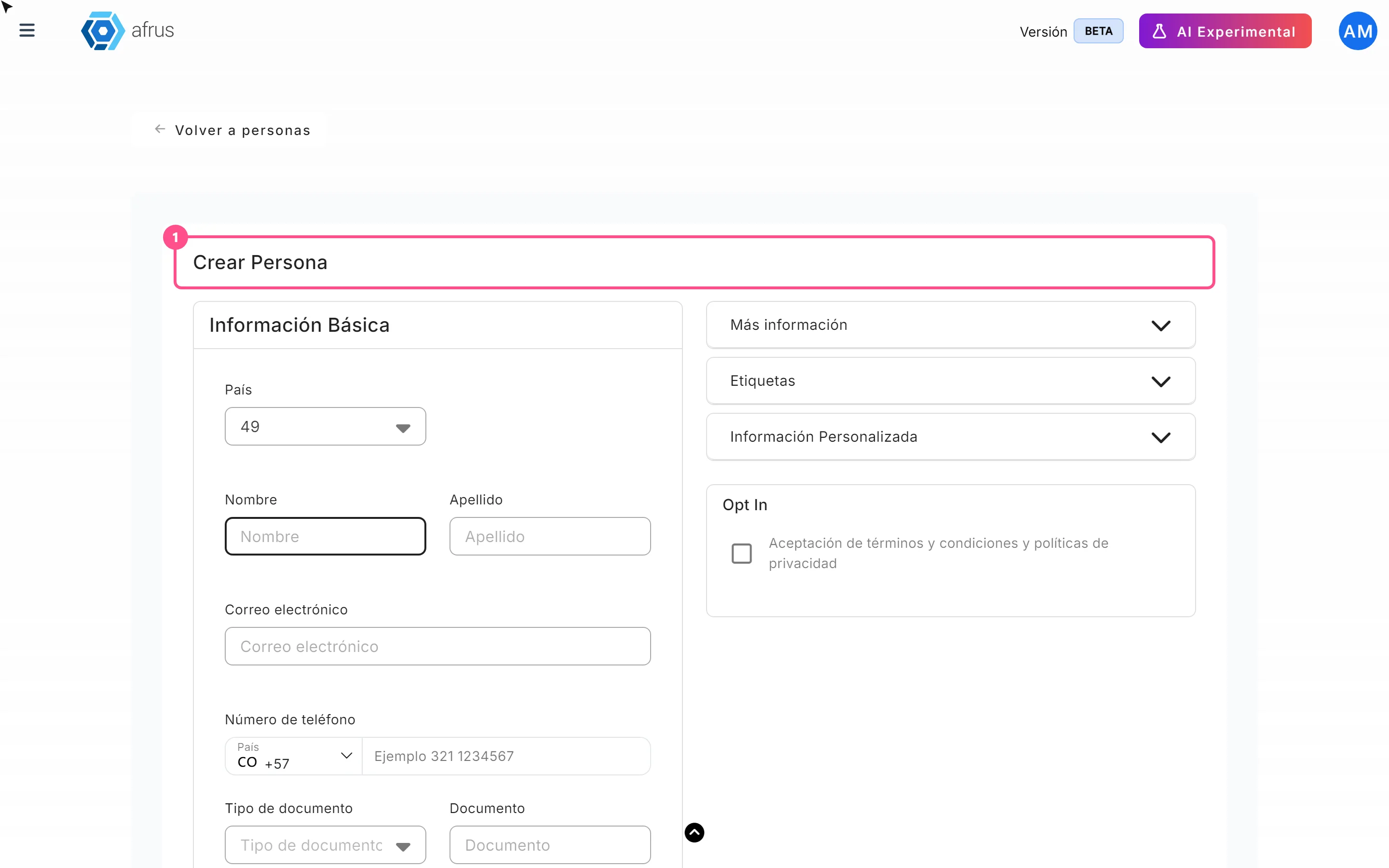
Learn how to create a person by hand on AFRUS, with their details, tags, custom fields and consent.
afrus.ai

People
October 27, 2026
How to download a group of people
Learn how to export a filtered group of people from AFRUS to Excel or CSV and find the file in Downloads.
afrus.ai
People
October 27, 2026
How to filter a group of people
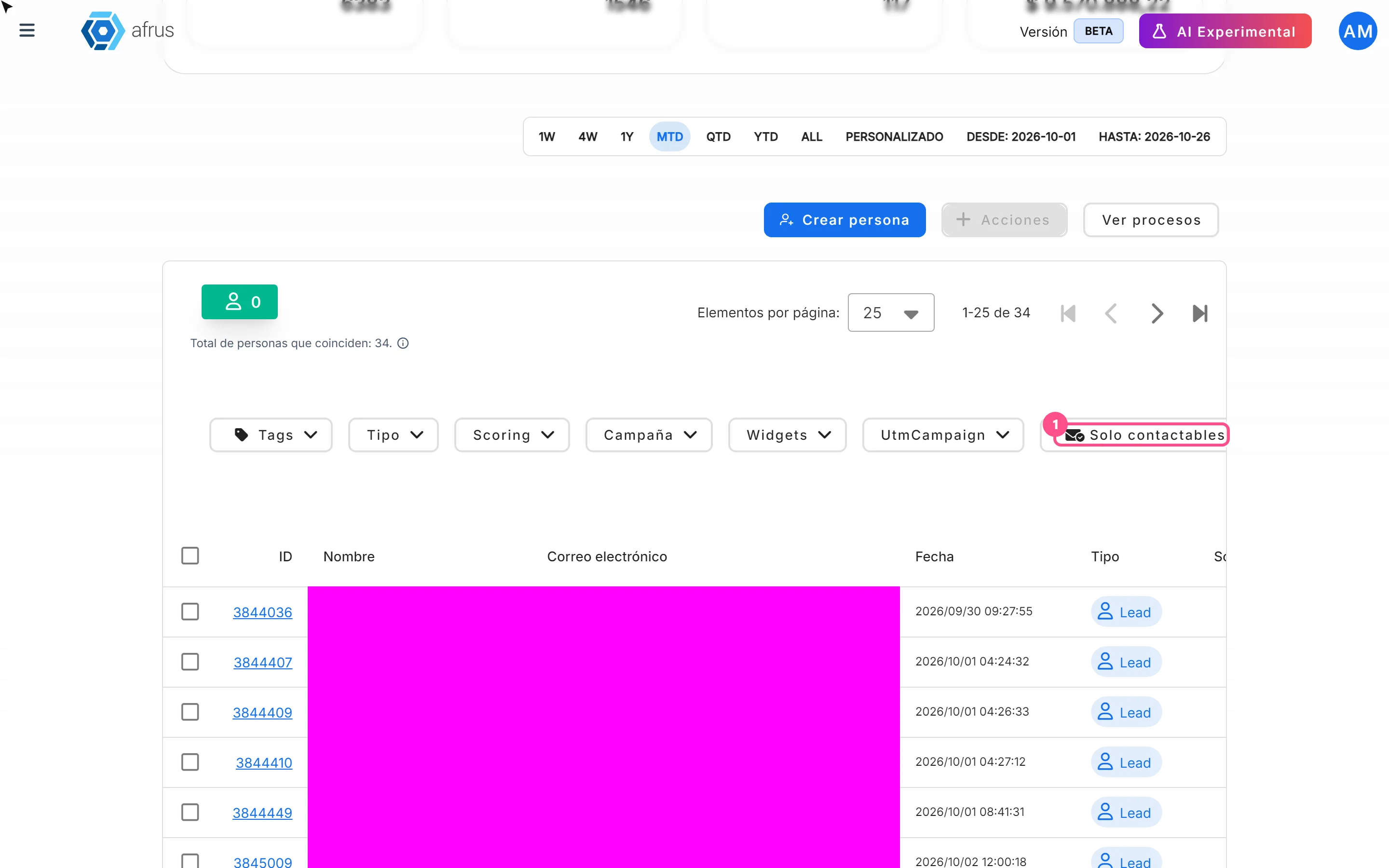
Learn how to search and filter people on AFRUS by tag, type, scoring, campaign, widget, UTM, contactability and dates.
afrus.ai