🡠 Back


Where to see bounced emails
Reading time
1 min
Blast
October 27, 2026
afrus.ai
Learn what a bounced email is and where to see in AFRUS the bounces of your sends and of each person.
In this article
An email bounces when it doesn't reach the person. A Hard Bounce is an address that doesn't exist (AFRUS stops sending to it); a Soft Bounce is a temporary problem (the person keeps receiving). Labels are shown as they appear in the Spanish version of the console.
Where to see them
- In each send's details. In Interacciones > Blast, open "Detalles" (Details) and look at the Tasa de Rebote (bounce rate) and each person's email status.
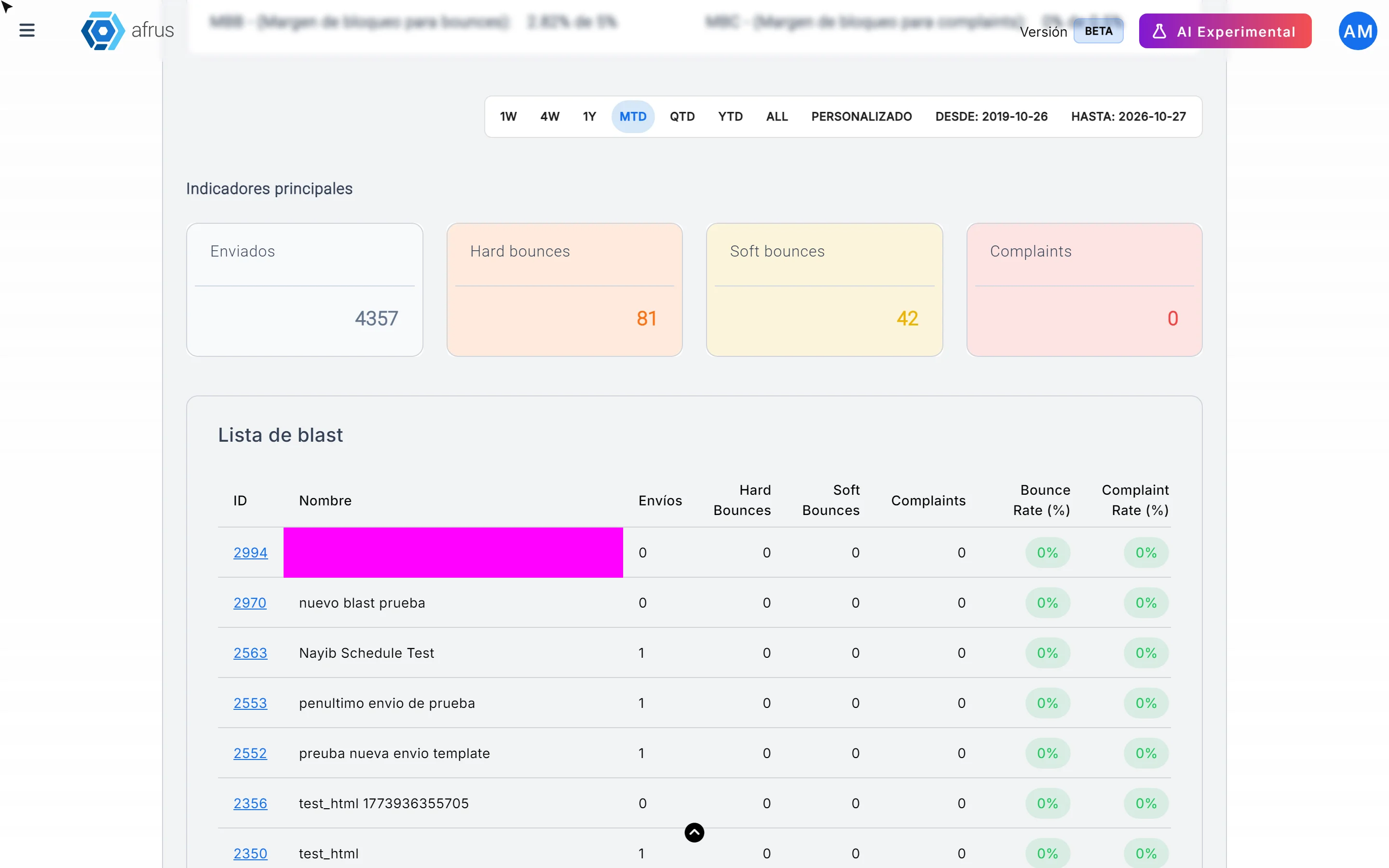
- In the interactions monitor. In Trackers > Monitor de interacciones you see total bounces and a table with each send's bounces.
- In each person's profile. In Personas you will see "Tiene Hard Bounce" or "Tiene Soft Bounce", and in the Eventos (Events) tab, the details of each email.
Can I see a send's bounces in one list? Yes. In the send's details, in Últimos eventos (Latest events), click "Ver más" (See more). You'll see everyone it was sent to, with their status and the date, and you can filter by Estado (Status), for example Hard Bounce or Soft Bounce. With Exportar datos (Export data) you download that list, with the different statuses, to analyze it more easily and then bring your actions back into AFRUS.
Need help? Talk to the afrus team
In this article
✕
Related Tutorials

Blast
October 27, 2026
What a Blast is
Learn what a Blast is: the email you send in one go to a group of people in your AFRUS database.
afrus.ai
Blast
October 27, 2026
What a Blast is for
Learn what a Blast is for: keeping your community informed, asking for donations, scheduling emails and measuring results.
afrus.ai
Blast
October 27, 2026
How to see a Blast's statistics
Learn how to see how many people opened your Blast, how many clicked and how many emails bounced.
afrus.ai
Blast
October 27, 2026
Why my Blast shows failed
Learn what it means when a Blast is Fallido (failed), how it differs from Alerta and Bloqueado, and how to resend it.
afrus.ai