🡠 Back


How to refund a donation
Reading time
1 min
Transactions
October 27, 2026
afrus.ai
Learn how to refund a successful donation from Transactions and what happens next.
In this article
Labels are shown as they appear in the Spanish version of the console.
Before you start
- The transaction must be Exitoso (Successful).
- Its gateway must allow refunds from AFRUS; otherwise the Reembolsar (Refund) option doesn't appear.
- Your user needs permission for banking operations on transactions. If the refund fails for that reason, ask an administrator to do it.
Step by step
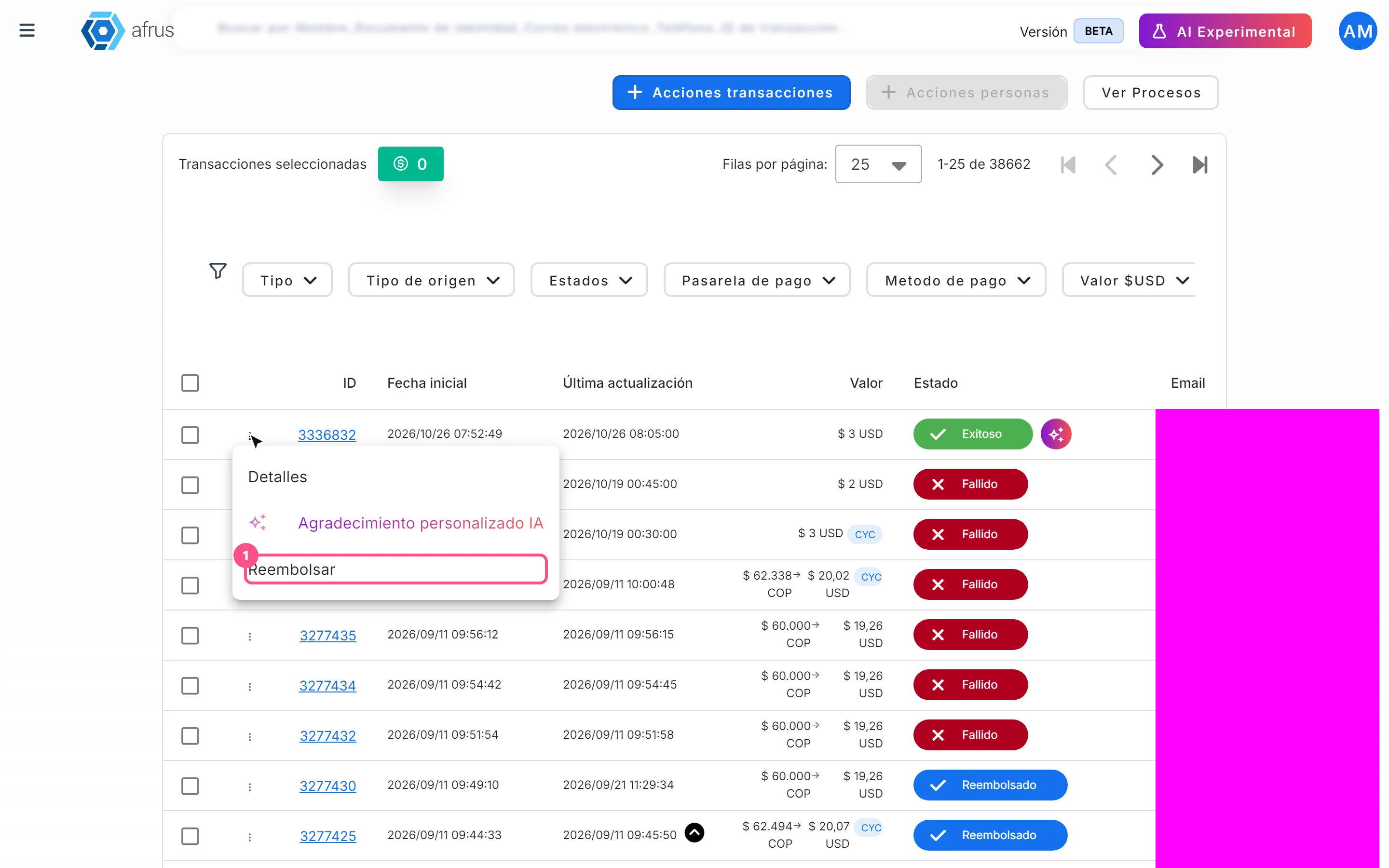
- Open the row menu. In Transacciones, open the three-dot menu and choose Reembolsar.
- Confirm. In Reembolsar Cargo (Refund charge), click "Confirmar" (Confirm).
You will see "Reembolsado con éxito." (Refunded successfully) and the transaction changes to Reembolsado (Refunded). If it had a valid donation certificate, it is voided. If the gateway rejects it, you will see "Error al reembolsar el cargo." and nothing changes.
Frequently asked questions
Can I refund only part of it?
No. The full amount is always refunded.
How long does the money take to reach the donor?
It depends on the bank. Some return it in 3 days and others can take up to 30 business days.
How long do I have to refund?
From AFRUS, up to 24 hours after the charge. After that, write to your payment gateway provider. If you use the AFRUS payment gateway, write to soportepagos@afrus.ai and the AFRUS team will make the refund.
Does refunding cancel the subscription?
No. If you want to stop future charges, cancel the subscription directly in Suscripciones.
Can it be undone?
No. The money is returned through the gateway and there is no option to reverse it.
Need help? Talk to the afrus team
In this article
✕
Related Tutorials

Transactions
October 27, 2026
What Transactions are in AFRUS
Learn what the Transactions module is: the list of every payment your organization receives, one-time and recurring.
afrus.ai
Transactions
October 27, 2026
What Transactions are for
Learn what the Transactions module is for: finding payments, refunding, cleaning up fraud, exporting and AI thank-yous.
afrus.ai

Transactions
October 27, 2026
How to create an AI thank-you from Transactions
Learn how to send a donor a thank-you email written with AI from a successful transaction.
afrus.ai
Transactions
October 27, 2026
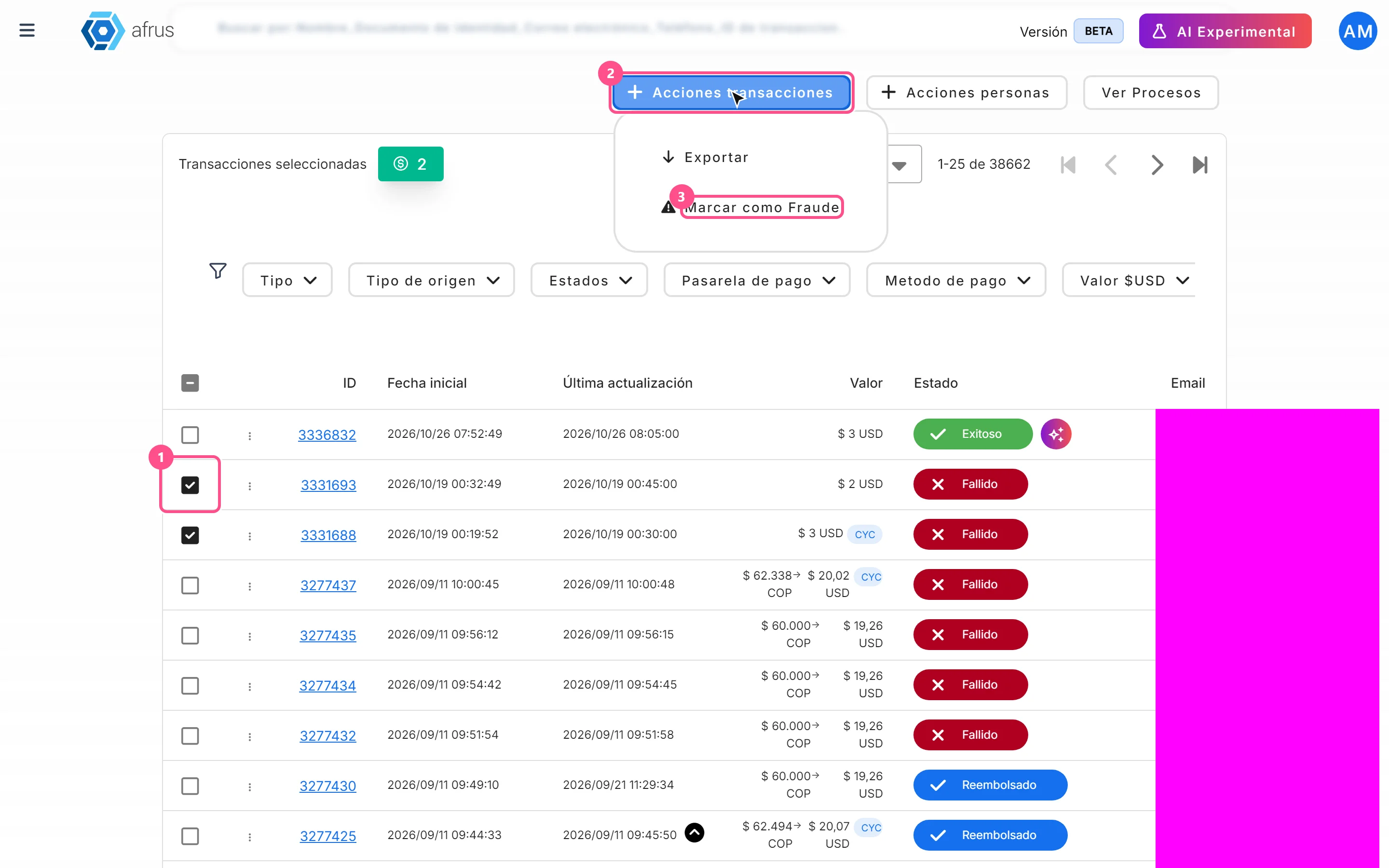
How to mark a transaction as fraud
Learn how to mark transactions as fraud and what happens to them and to the linked donors.
afrus.ai