🡠 Back


Recurrence service guide
Reading time
3 min
Settings
October 28, 2026
afrus.ai
Complete guide to Recurrence service: every step with its screenshots and the frequently asked questions.
In this article
With this guide you will know what the Recurrence service is, what it is for and which options you can set in it.
Module: Configuración (Settings) · Menu: Ajustes de Organización > Servicio de recurrencia · Audience: organization administrators
About the labels in this guide: buttons, fields and menus are written exactly as they appear in the Spanish version of the console, with an English explanation where it helps.
What the Recurrence service is
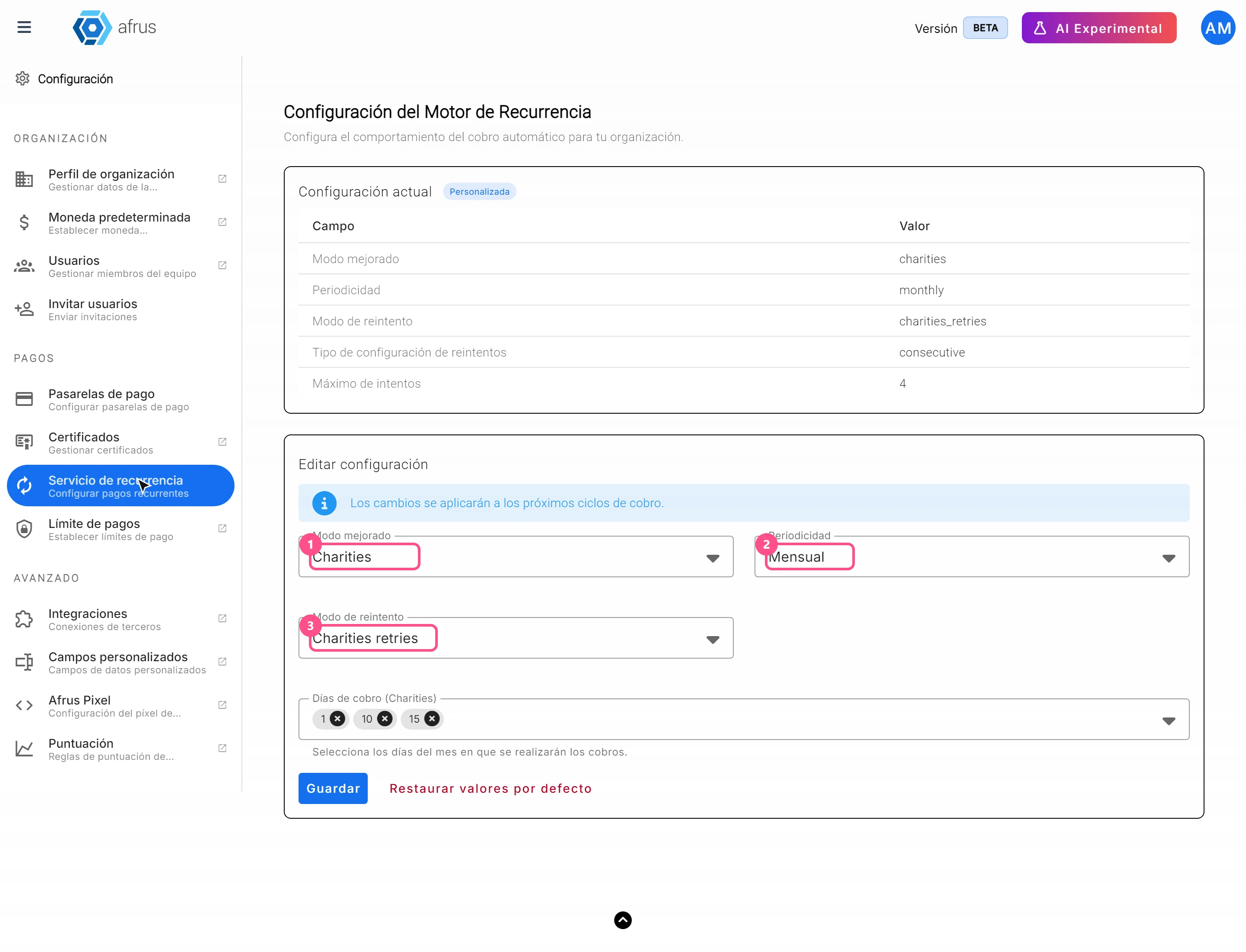
It is the screen where you set how AFRUS makes the automatic charges of your monthly and recurring donations. On screen its title is Configuración del Motor de Recurrencia (Recurrence engine settings).
There you choose, for example, how often a donation is charged and what to do when a charge fails.
Important: these settings apply to the recurring donations that AFRUS charges. If your payment gateway charges subscriptions on its own (for example Stripe, PayU or Pagar.me), the gateway decides when the charge happens.
What it is for
- Choosing how often a recurring donation is charged: every month, every three months, every six months or every year.
- Deciding what happens if a charge fails: how many times it is retried and on which dates.
- Choosing the charge days, if you use the Charities mode.
- Going back to the original settings with a single button if something doesn't convince you.
Before you start
- You need access to Configuración (Settings) for your organization.
- Changes are not immediate: the screen says "Los cambios se aplicarán a los próximos ciclos de cobro." (Changes will apply to the next billing cycles.)
Step by step
How to set up the Recurrence service
Open the screen. Go to Ajustes de Organización > Servicio de recurrencia. You will see the title Configuración del Motor de Recurrencia.
Choose the mode. In Modo mejorado (Enhanced mode), choose Standard or Charities. With Charities you can also choose the charge days.
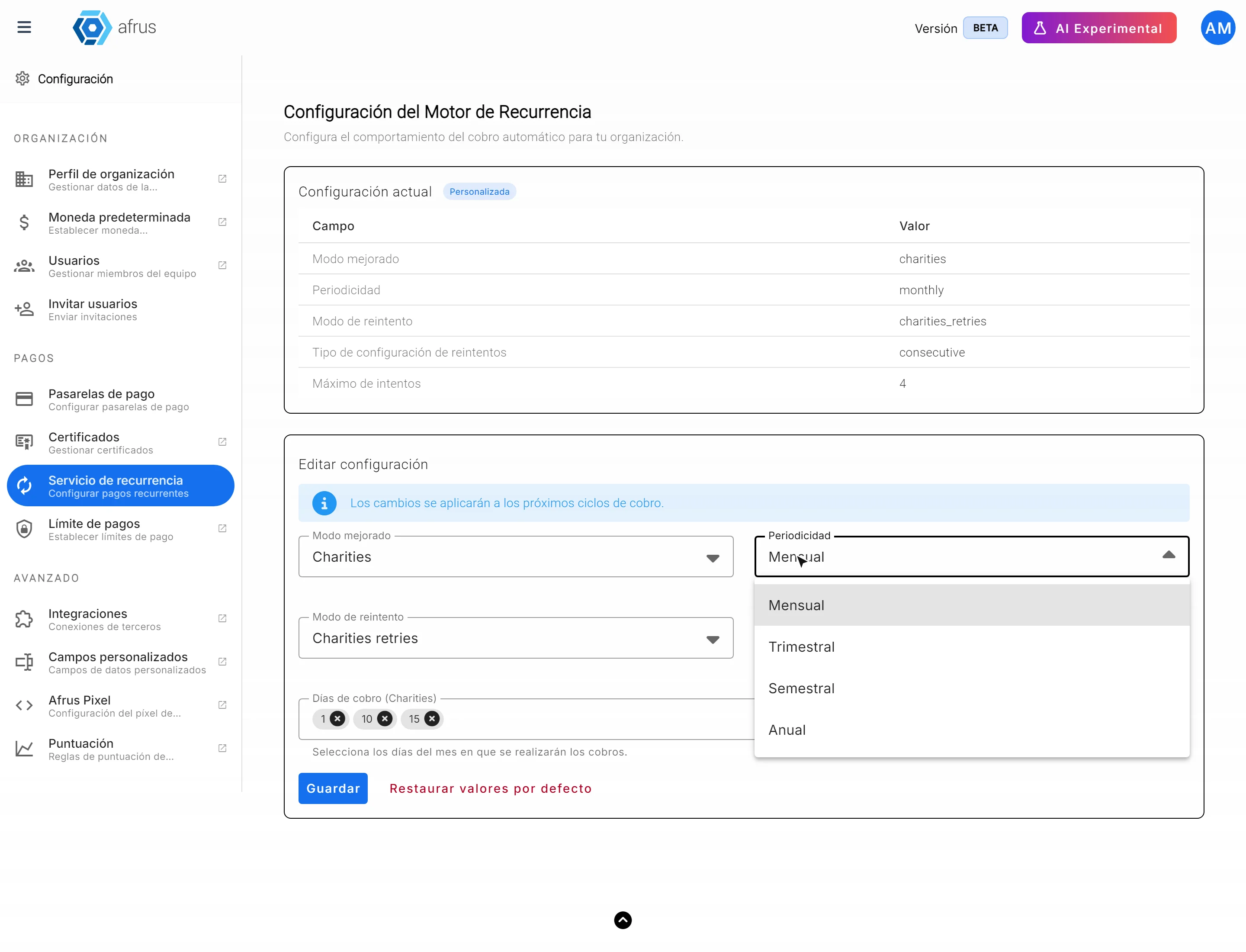
Choose how often to charge. In Periodicidad (Frequency), choose Mensual (monthly), Trimestral (quarterly), Semestral (every six months) or Anual (yearly).
If you chose Charities, pick the charge days. Días de cobro (Charities) (Charge days) appears so you can choose which days to charge.
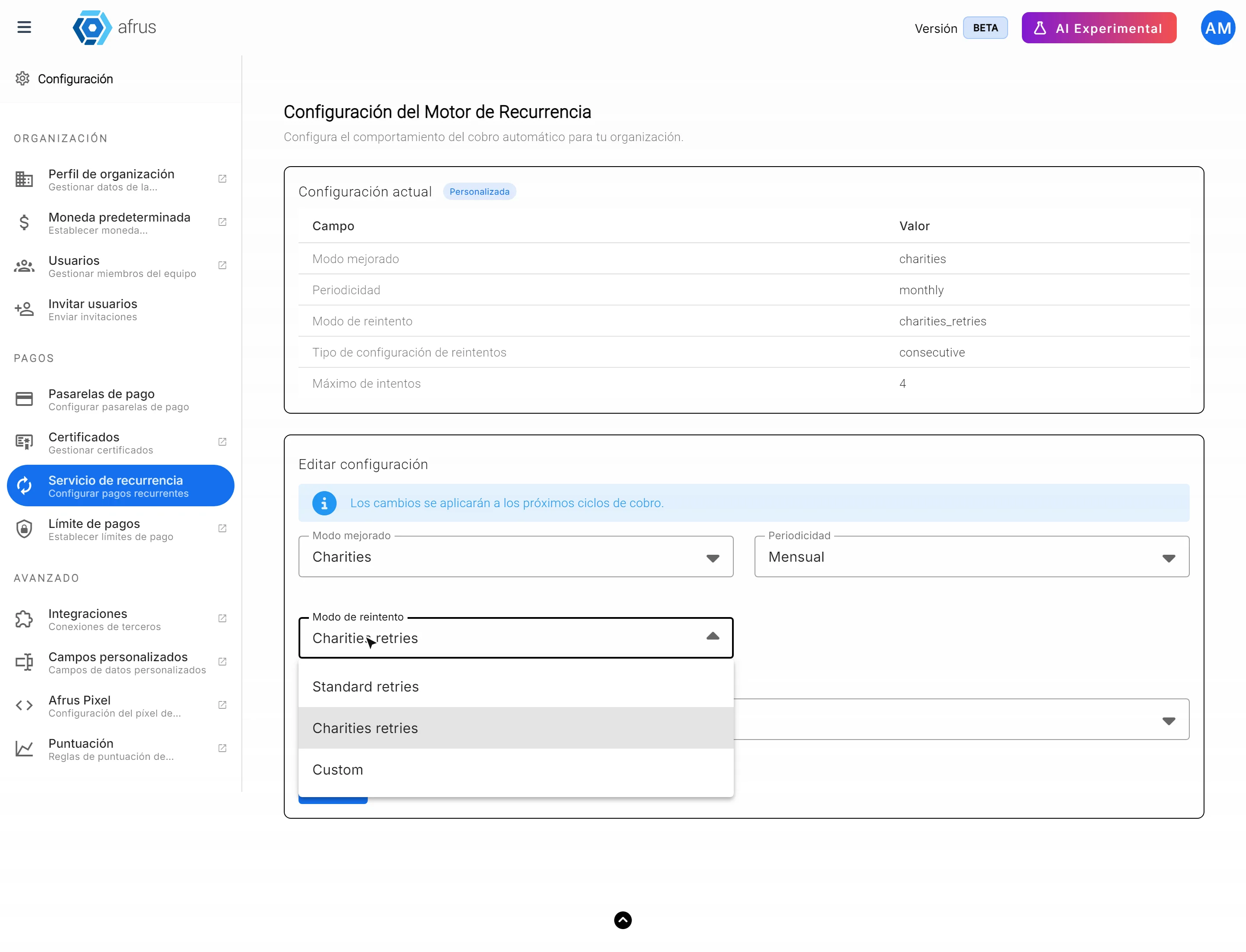
Decide what happens if a charge fails. In Modo de reintento (Retry mode), choose Standard retries, Charities retries or Custom.
If you chose Custom, set the retries. In Tipo de configuración de reintentos (Retry setup type) choose:
- Consecutivo (Consecutive): set the Máximo de intentos (Maximum attempts).
- Fechas específicas (Specific dates): choose the Fechas específicas de reintento (Specific retry dates).
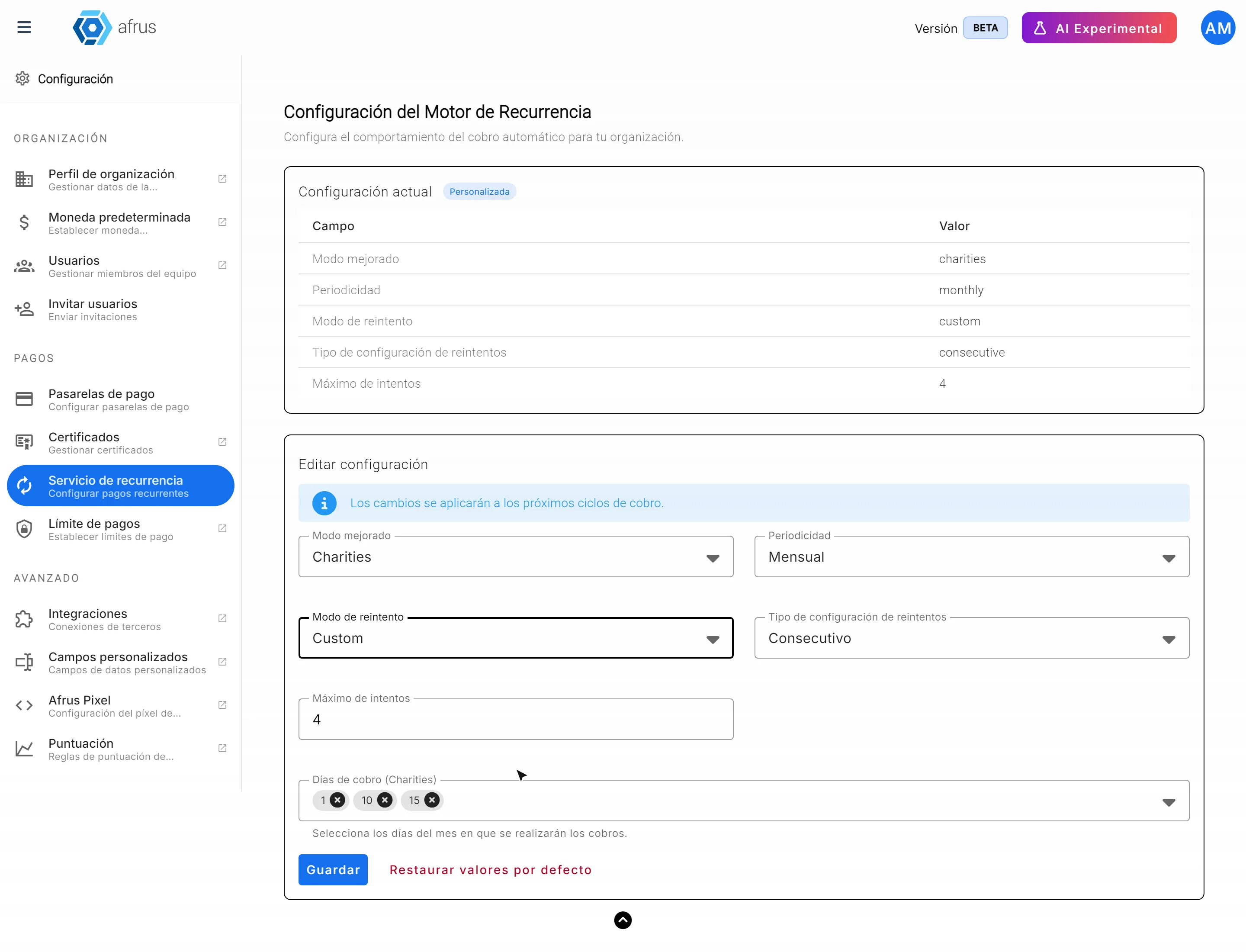
Save your changes. They will apply to the next billing cycles.
Can it be undone? Yes. You can change the options at any time, or click "Restaurar valores por defecto" (Restore default values) to go back to the original settings.
Frequently asked questions
At what time are charges made?
They start at 5 a.m., but they are processed in queues, so the time may vary a little.
How many times is a failed charge retried before the subscription is cancelled?
By default, the charge is attempted 3 times a month for 12 months before the recurring donation is cancelled. You can adjust the retries on this screen, in Modo de reintento (Retry mode).
Do the changes affect existing subscriptions?
The screen says changes apply to the next billing cycles.
Last updated: 2026-10-27
Need help? Talk to the afrus team
In this article
✕
Related Tutorials
Settings
October 28, 2026
Custom fields guide
Complete guide to Custom fields: every step with its screenshots and the frequently asked questions.
afrus.ai
Settings
October 28, 2026
Payment gateways guide
Complete guide to Payment gateways: every step with its screenshots and the frequently asked questions.
afrus.ai
Settings
October 28, 2026
Onboarding automation guide: your email domain
Complete guide to Onboarding automation guide: your email domain: every step with its screenshots and the frequently asked questions.
afrus.ai
Settings
October 28, 2026
Organization currency guide
Complete guide to Organization currency: every step with its screenshots and the frequently asked questions.
afrus.ai